X example by @ZaraIrahh
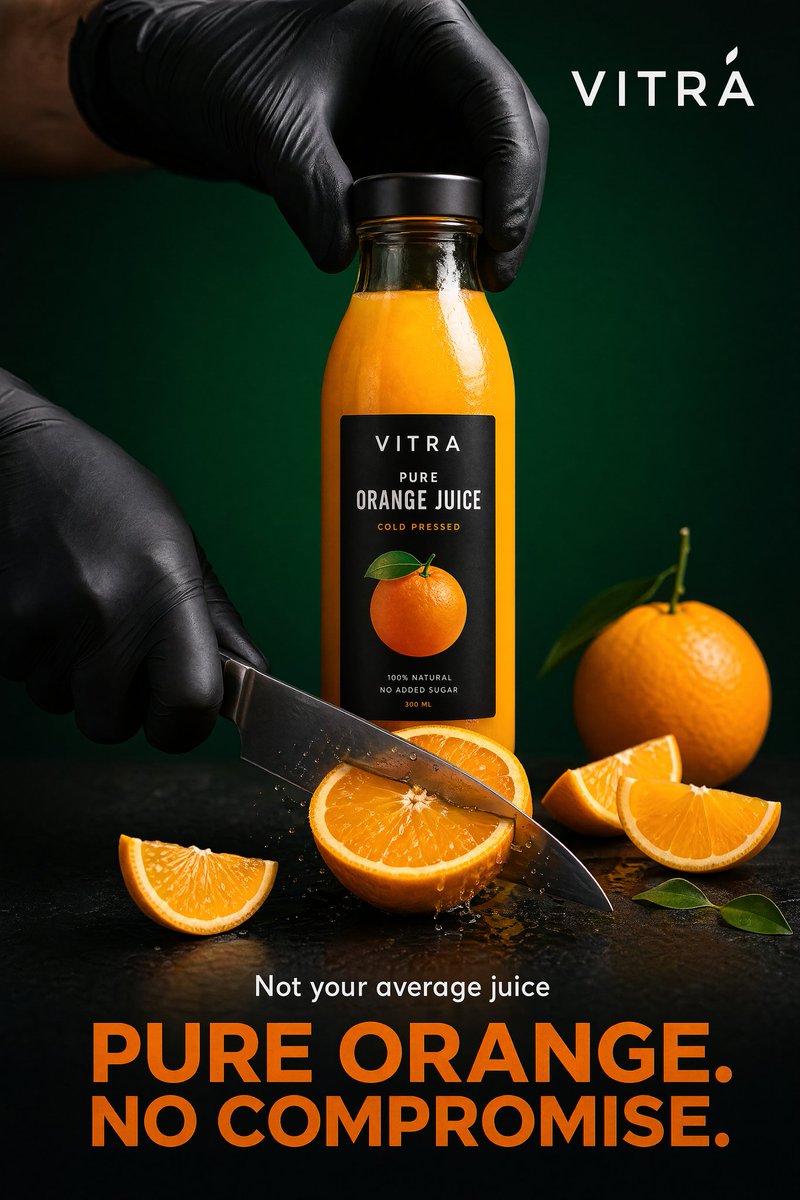
Premium product advertising
A beverage brief becomes a finished campaign image with product label, studio lighting, headline copy, and a channel-ready composition.
Generate and edit images online with OpenAI's gpt-image-2 model. Use prompts, reference images, readable text, and 1K/2K/4K outputs.
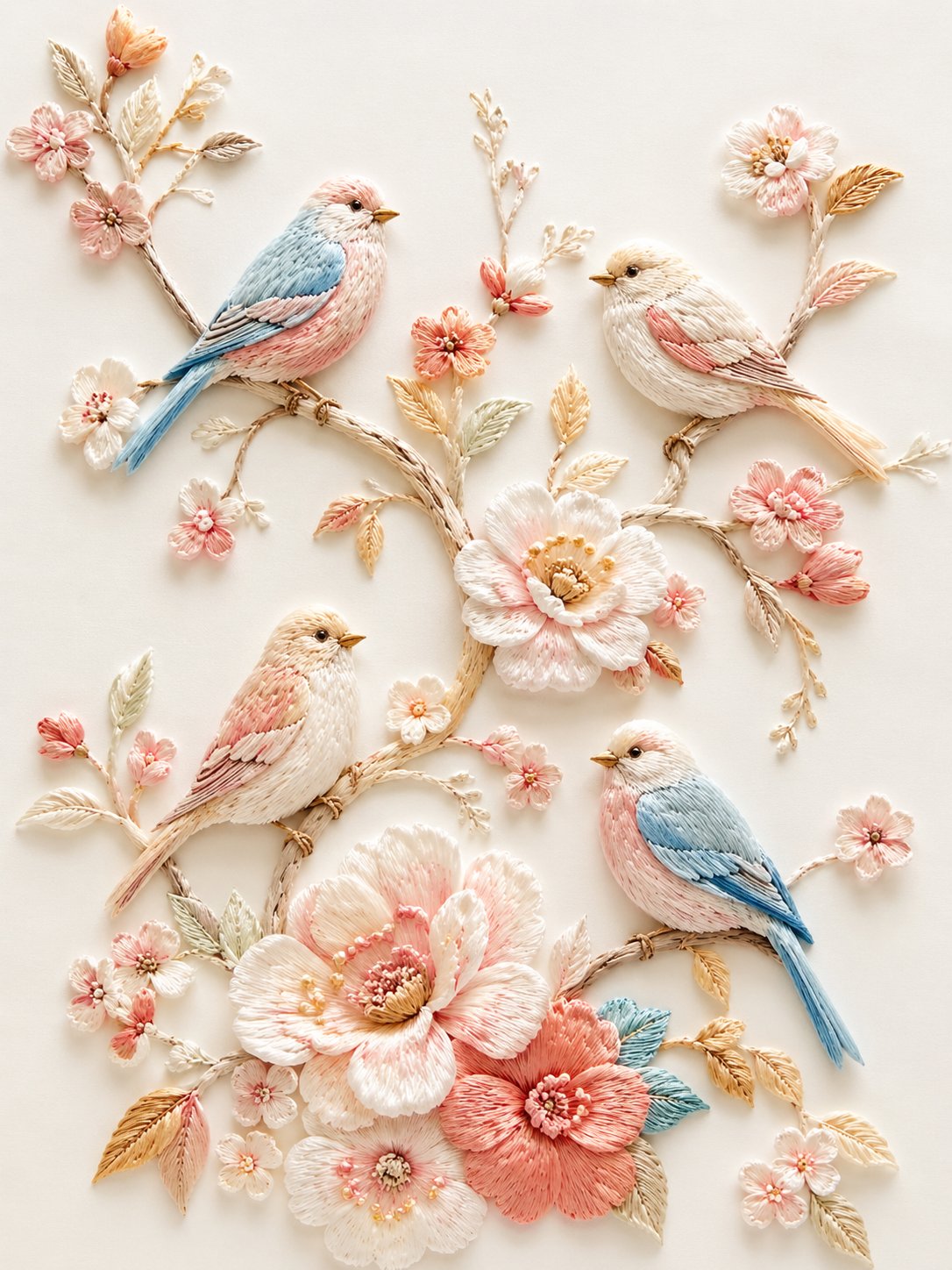
GPT Image 2 is the image workflow to use when the GPT Image 2 asset must look polished, follow the prompt closely, preserve reference details, and render real words inside posters, product scenes, UI concepts, diagrams, and campaign visuals.
GPT Image 2 is the image workflow to use when the GPT Image 2 asset must look polished, follow the prompt closely, preserve reference details, and render real words inside posters, product scenes, UI concepts, diagrams, and campaign visuals.
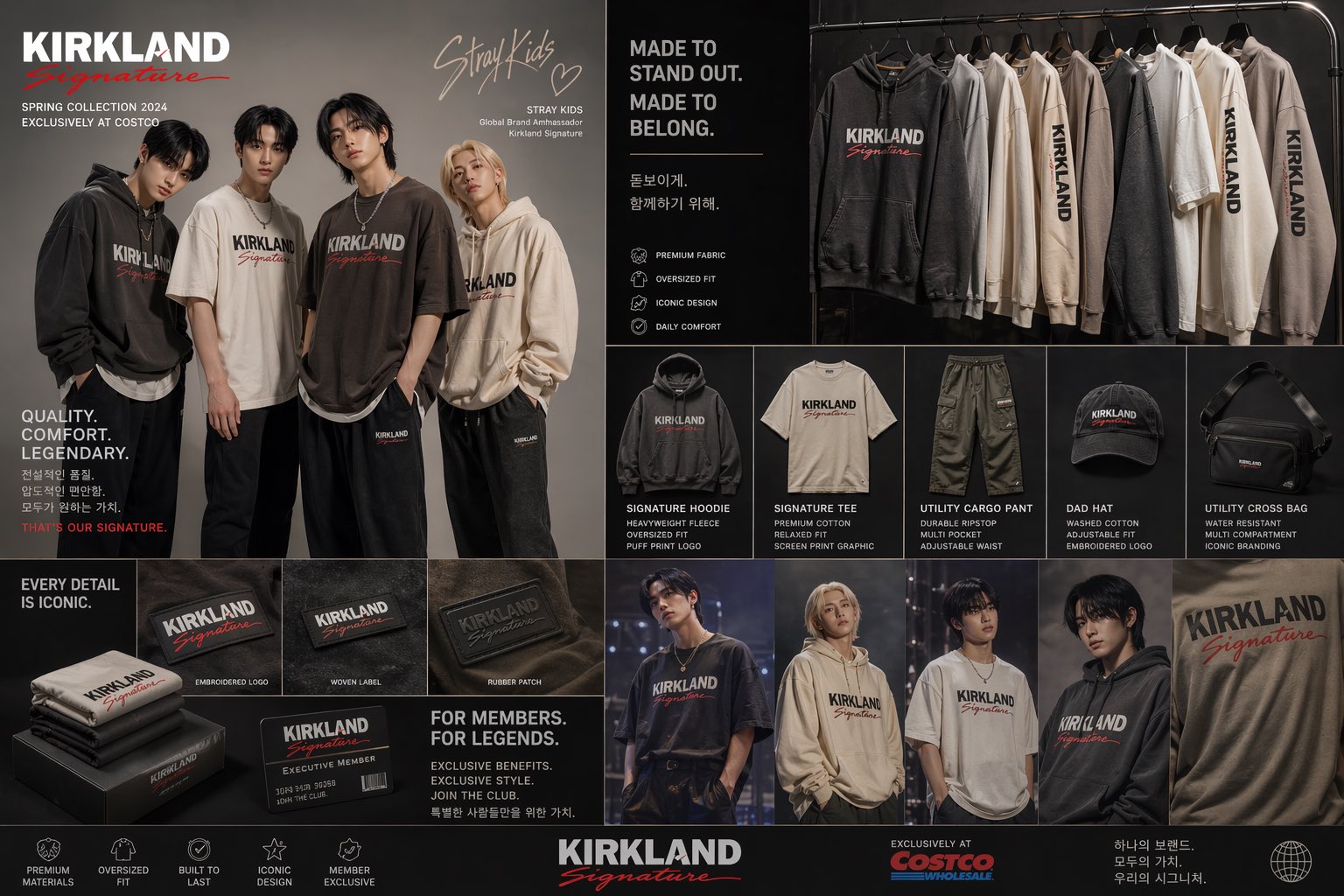
The practical advantage is not only prettier images. GPT Image 2 is useful when the output has to preserve a real brief: text, layout, product structure, brand direction, and final delivery format.
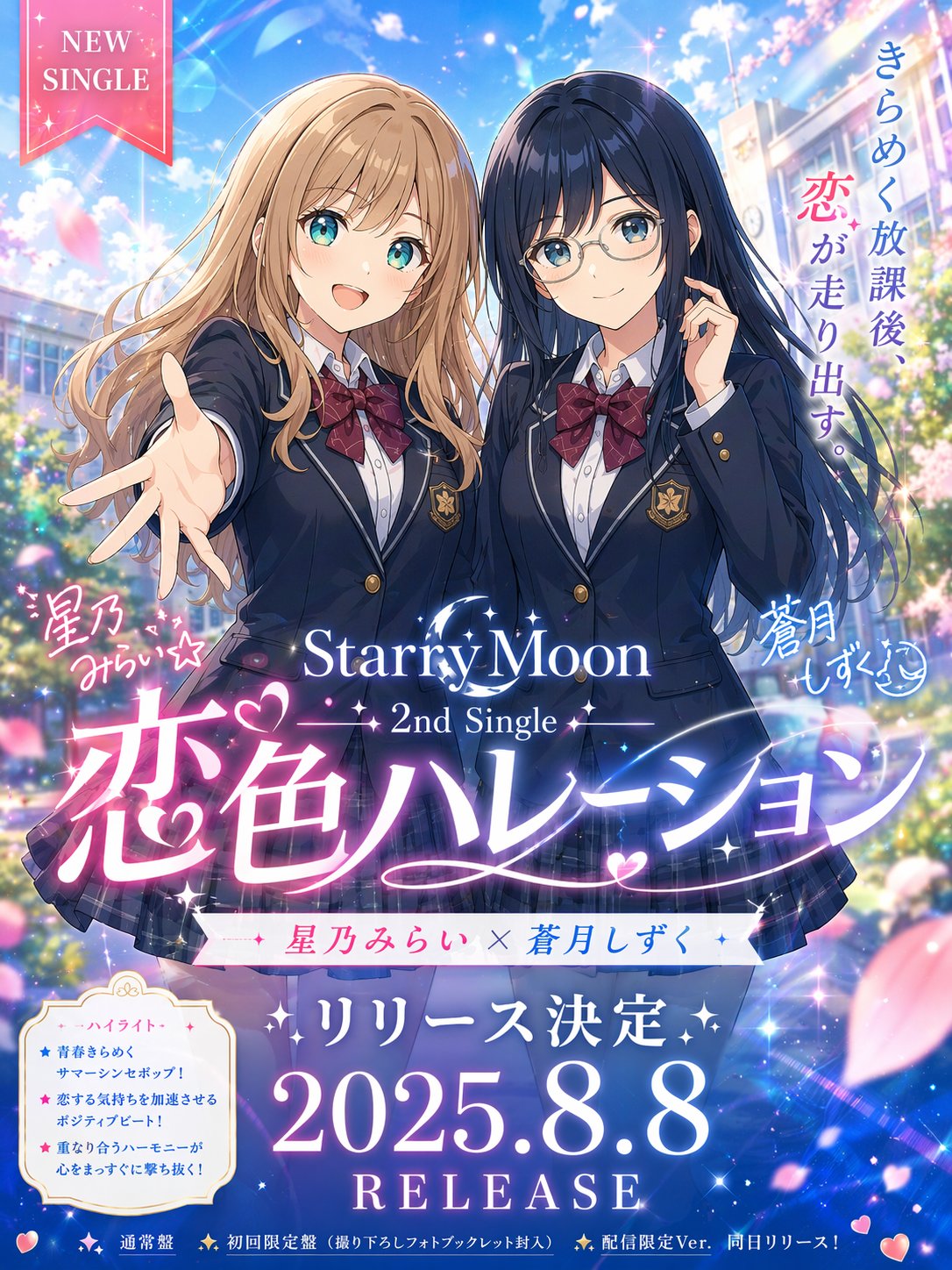
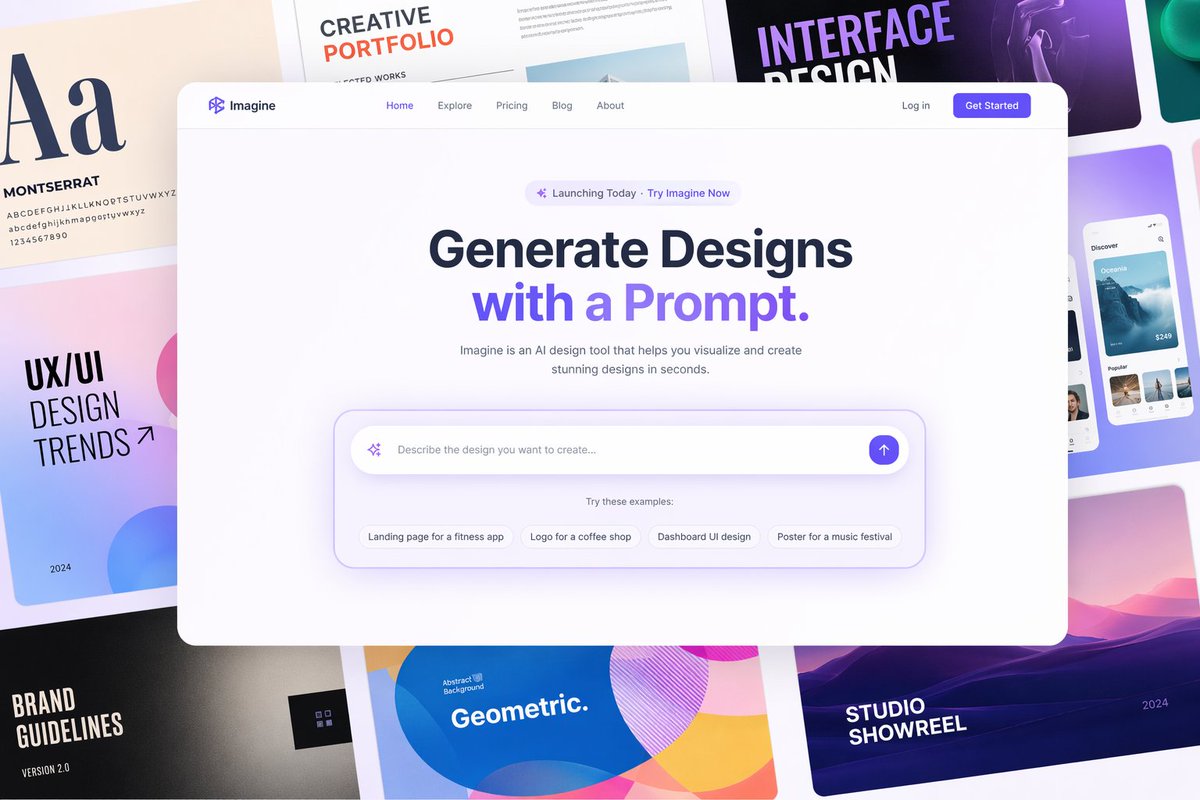
Use GPT Image 2 for posters, packaging, menus, app screens, ads, and other visuals where the words inside the image need to be legible instead of decorative noise.
These examples come from the GPT Image 2 prompt library and public creator shares. They show the kind of assets people actually test: product ads, ecommerce pages, UI concepts, maps, packaging, and text-heavy posters.
A beverage brief becomes a finished campaign image with product label, studio lighting, headline copy, and a channel-ready composition.
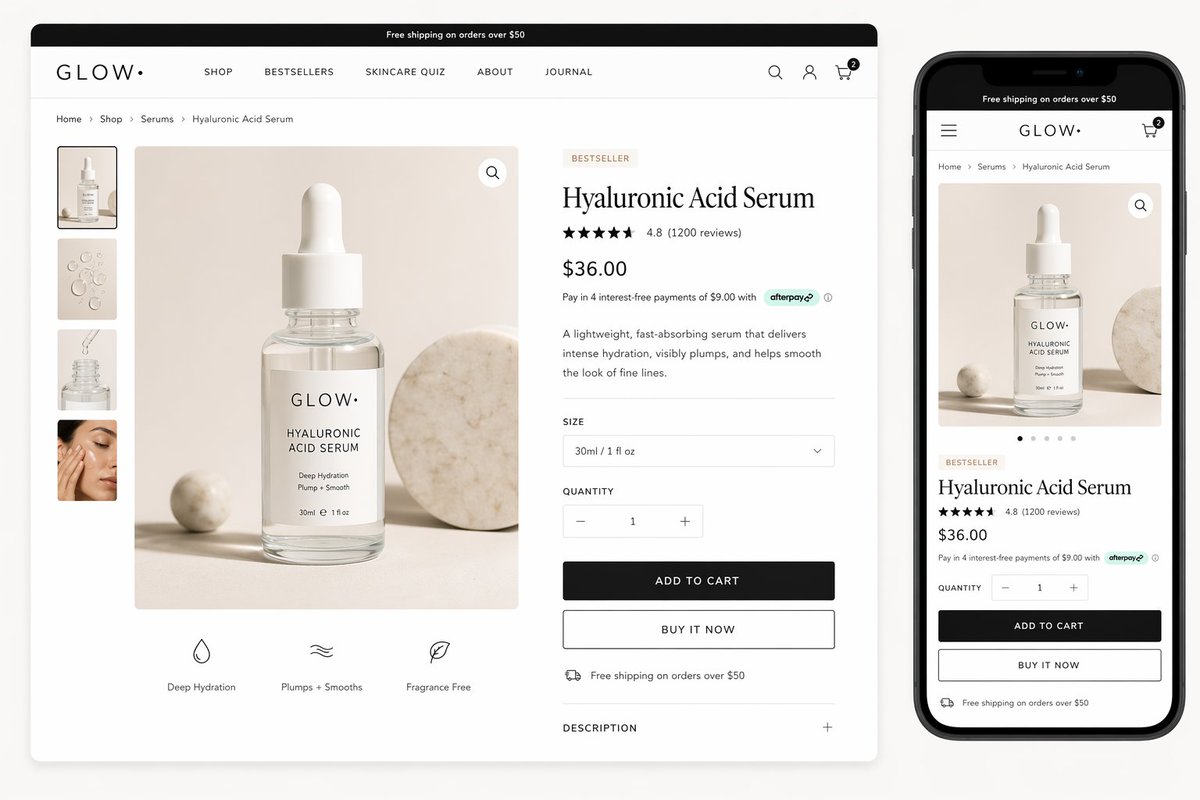
GPT Image 2 can turn a skincare product brief into a full product-page visual with packshot, rating area, payment note, gallery, and mobile preview.
Use it for app screens, landing-page directions, dashboards, and structured interface concepts where layout and interface copy matter.
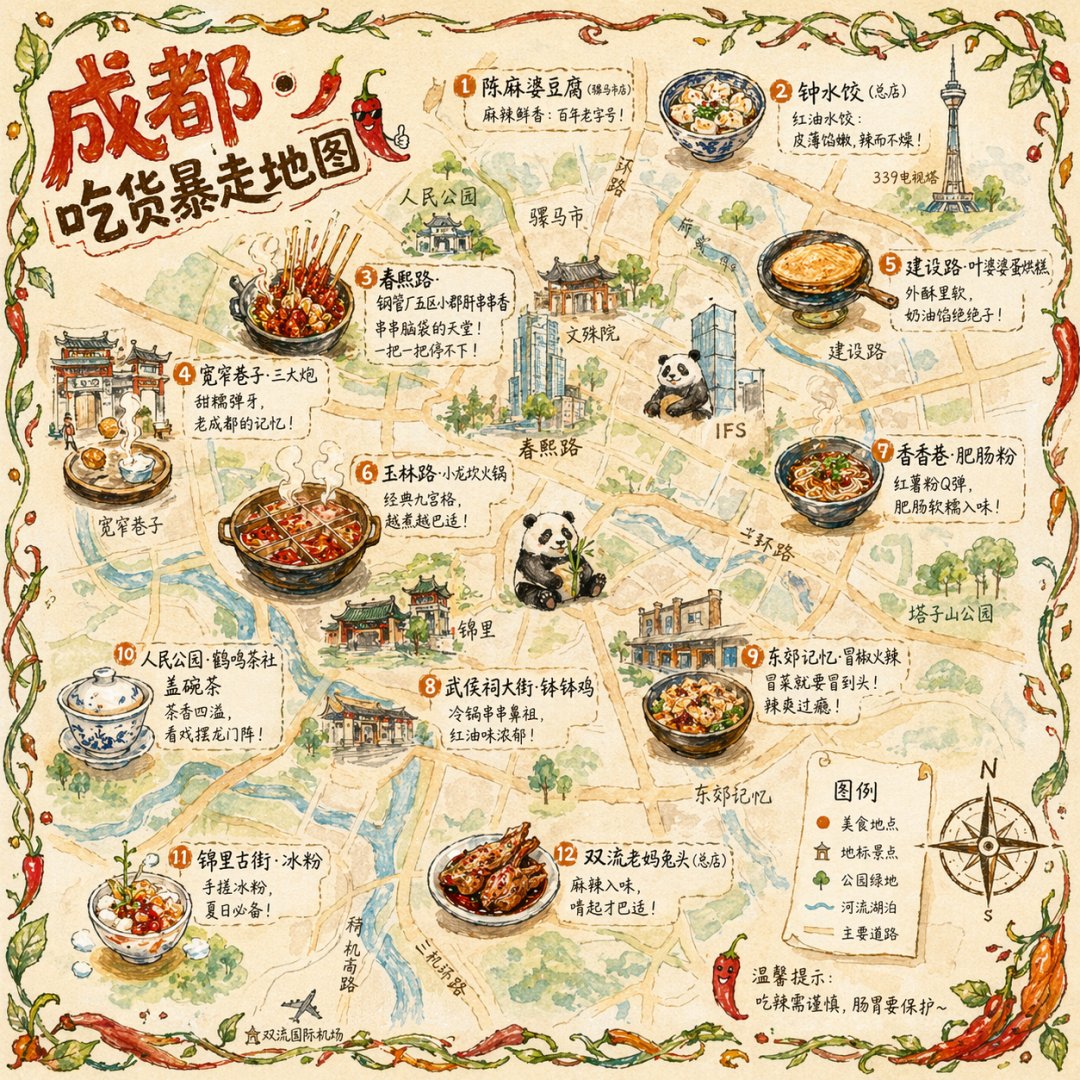
Dense local information can become a more readable illustrated map, with stronger hierarchy than a simple style-only image prompt.
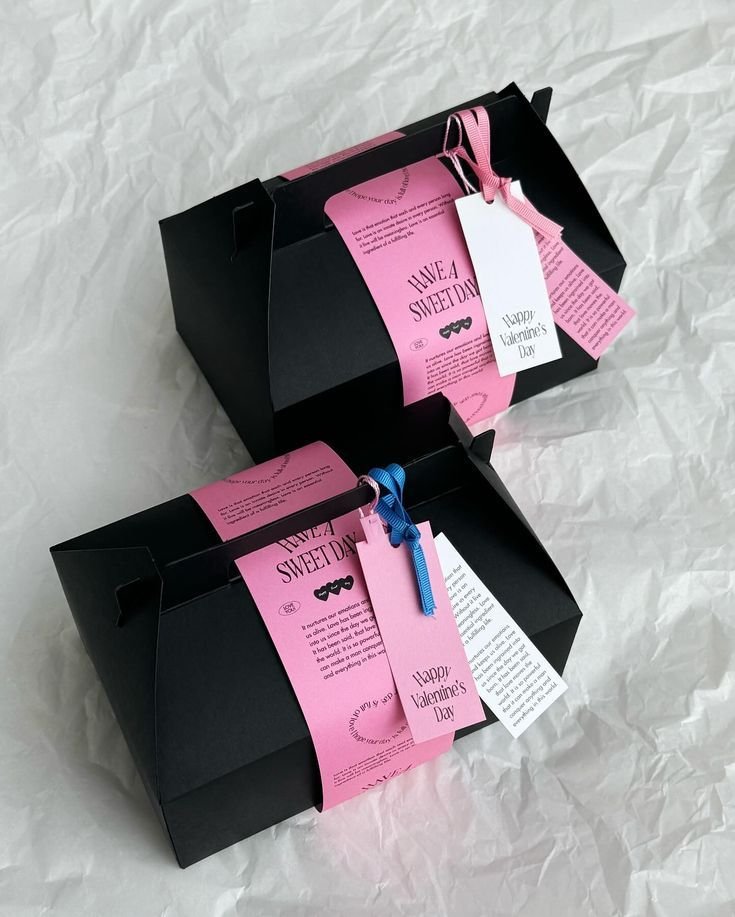
Packaging dielines, label systems, and product presentation boards benefit from the model’s stronger structure and text handling.
When the asset needs visible titles, hierarchy, and layout discipline, GPT Image 2 is useful for producing a reviewable first direction.
Treat the GPT Image 2 generator like a visual production assistant: give it the job, the constraints, the reference material, and the final channel.
State whether you need a product shot, poster, UI mockup, diagram, ecommerce asset, character sheet, or editorial image. The clearer the destination, the more useful the first GPT Image 2 generator result becomes.
Use references to lock product identity, character consistency, composition, typography direction, or brand mood. Then explain what must stay fixed and what should change.
Use lower settings for exploration, medium settings for the normal creative loop, and high-quality 4K output when the direction is already approved and needs polish.
GPT Image 2 is strongest when image generation has to support a real workflow rather than produce one-off eye candy.
Create product hero shots, lifestyle variants, packaging mockups, comparison frames, and supporting marketplace images from one clear brief.
Generate campaign stills with readable titles, stronger hierarchy, and enough visual polish to make the next review concrete.
Create website concepts, dashboard screenshots, profile pages, onboarding screens, and interface-like visuals where structure matters.
Turn instructions, systems, maps, comparison tables, or lesson concepts into structured visual assets with clearer labels and hierarchy.
Revise an existing image while keeping the product, pose, identity, layout, or approved visual logic intact.
Use the page as a fast benchmark for text rendering, layout control, realism, style transfer, and reference-image behavior before committing credits at scale.
Use the same brief across models when quality matters. GPT Image 2 is the strongest starting point when text, references, layout, and real review workflows all matter at once.
| Capability | GPT Image 2 | Nano Banana Pro | GPT Image 1.5 | Nano Banana 2 |
|---|---|---|---|---|
| Readable text | Best fit for posters, labels, menus, UI copy, packaging, and ad headlines that must be checked by a real reviewer. | Strong for dense layouts and information graphics, but still needs careful review for exact copy. | Useful for lighter drafts, with more manual review when text accuracy is central. | Good for quick image exploration; less ideal when exact in-image wording is the main requirement. |
| Reference and edit control | Use up to 16 references to preserve product identity, subject, layout, character direction, or brand cues across revisions. | Good when multiple visual inputs need to influence one dense design or composited direction. | Better as a baseline edit model when the task is simpler and the output size can stay lower. | Useful for fast reference-led exploration before moving the winning direction into deeper refinement. |
| Output stage | 1K for fast drafts, 2K for normal review, and 4K when the image needs extra detail for campaign or product use. | Better when the job favors high-density layout exploration over final still polish. | A lighter baseline for lower-stakes drafts and cheaper early exploration. | Works well for quick visual tests, prompt trials, and fast social or concept directions. |
| Best-fit work | Product pages, ad creatives, UI mockups, diagrams, packaging, posters, and reference-preserving edits. | Complex multi-image compositions, information-heavy layouts, and dense design-board experiments. | Simple image generation, baseline comparisons, and early creative drafts. | Fast iterations, lightweight alternatives, and quick image directions from shorter briefs. |
| Iteration style | Best when feedback is specific: keep this product, change the background, fix the copy, preserve the layout. | Best when the team wants to compare many dense design routes from related references. | Best when the team needs a quick first pass before deciding whether the idea deserves more credits. | Best when speed and variety matter more than final-detail control. |
The strongest proof is not a generic testimonial. It is public creators sharing prompts, images, and workflows that others can inspect and reuse.
“
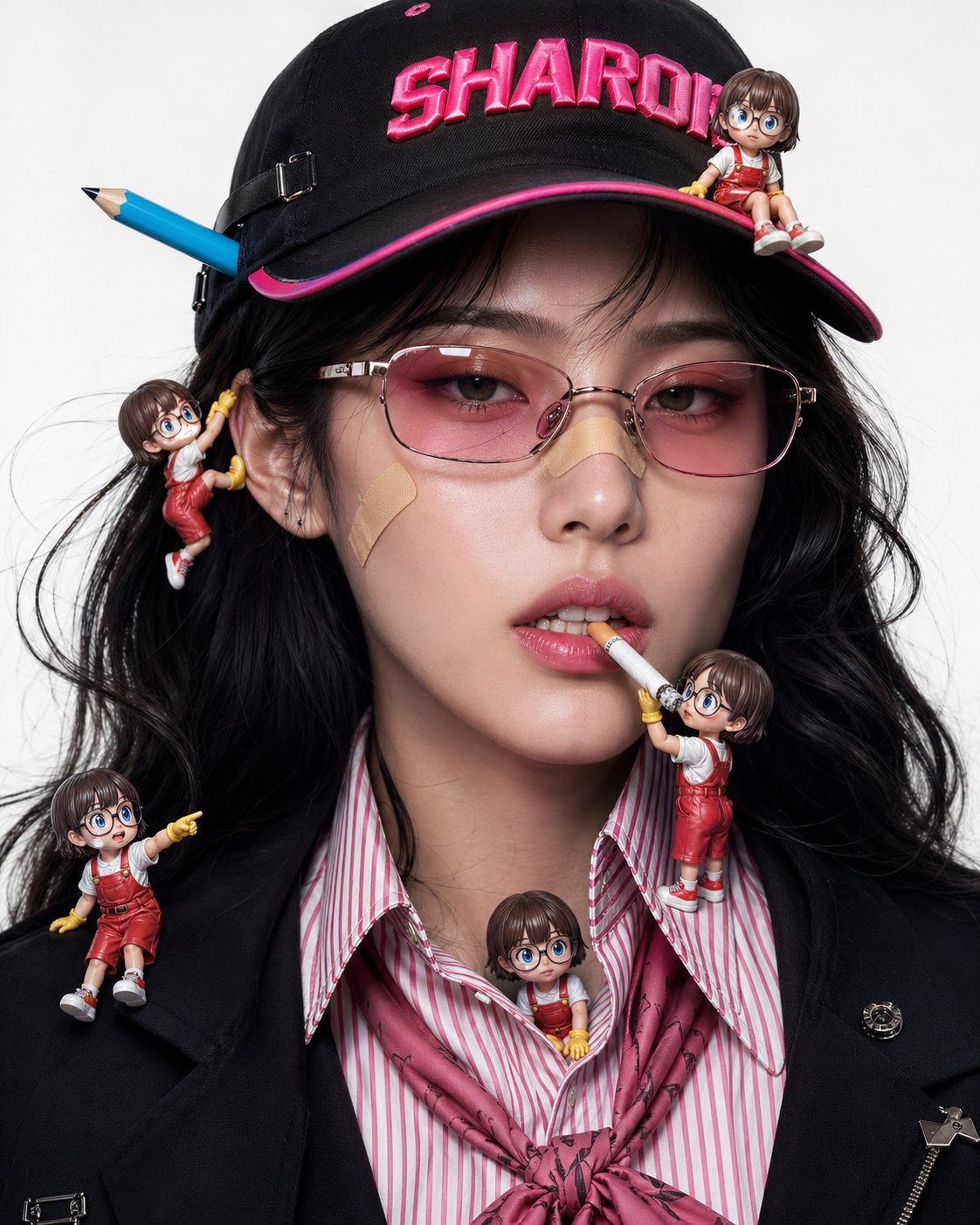
Public beauty-product examples show GPT Image 2 handling polished lighting, product placement, and campaign-style composition from a written prompt.
“
Merch and retail concept posters make the model’s layout control easier to judge because the output has to combine objects, copy, and brand context.
“
Texture-heavy illustration examples are useful because they test whether GPT Image 2 can preserve material feel, craft detail, and readable composition.
“
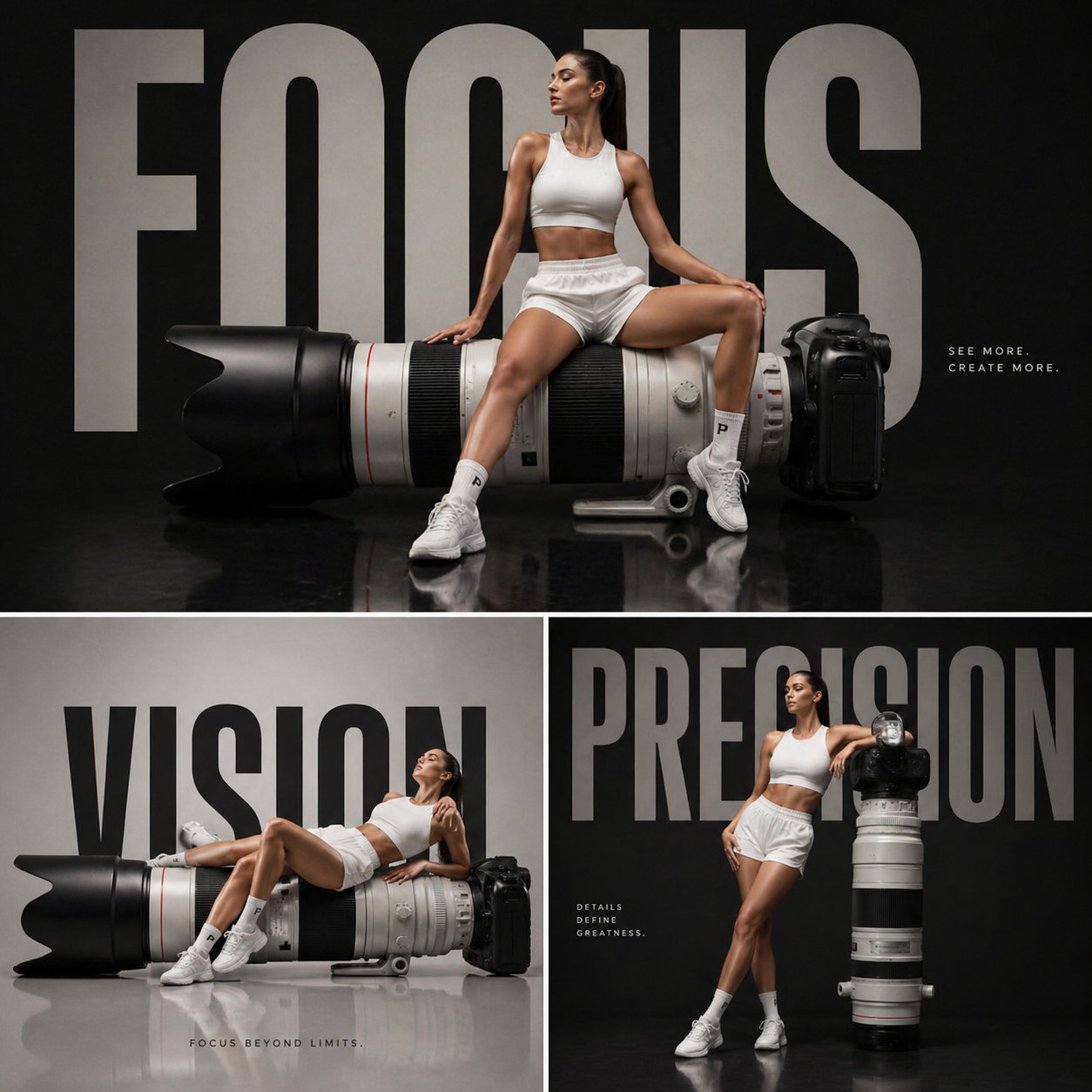
Poster layout tests are a clear benchmark: if the title, hierarchy, and graphic balance hold up, the image is much closer to review-ready.
“
Ecommerce page mockups connect the model to an actual commercial workflow: product image, page hierarchy, offer copy, and mobile preview in one frame.
“
SaaS homepage boards show why UI-like images matter: the result is not just a moodboard, but a structured product surface that can be discussed.
Start from a GPT Image 2 prompt or upload reference images, choose the right resolution, and generate GPT Image 2 still assets that are easier to review, revise, and ship.
Answers about GPT Image 2 generation, GPT Image 2 free online access, GPT Image 2 editing, GPT Image 2 reference images, GPT Image 2 text rendering, GPT Image 2 output size, GPT Image 2 credits, and how the GPT Image 2 generator fits into GPTIMG2 AI.
Browse nearby image models when you want a different speed, style, reference-image behavior, or cost profile than GPT Image 2 for the same creative brief.
4 Items
7 Items
2 Items