Промпты для фото товаров: 12 шаблонов GPT Image 2
Скопируйте промпты для e-commerce фото товаров: главные изображения, lifestyle-сцены, рекламные креативы, упаковку и быстрые исправления в GPT Image 2.
Хороший промпт для товарной фотографии в ecommerce описывает не только стиль. В нем должны быть продукт, канал, сцена, свет, ощущение камеры, ограничения бренда и то, что нельзя менять. Если важна точность реального SKU, сначала загрузите фото товара, а затем попросите GPT Image 2 создать конкретный тип ассета: главное изображение, кадр для PDP, lifestyle-сцену, рекламу, упаковку или корректировку.
Эти шаблоны можно использовать в GPTIMG2 AI. Дополнительные идеи смотрите в библиотеке промптов GPT Image 2.
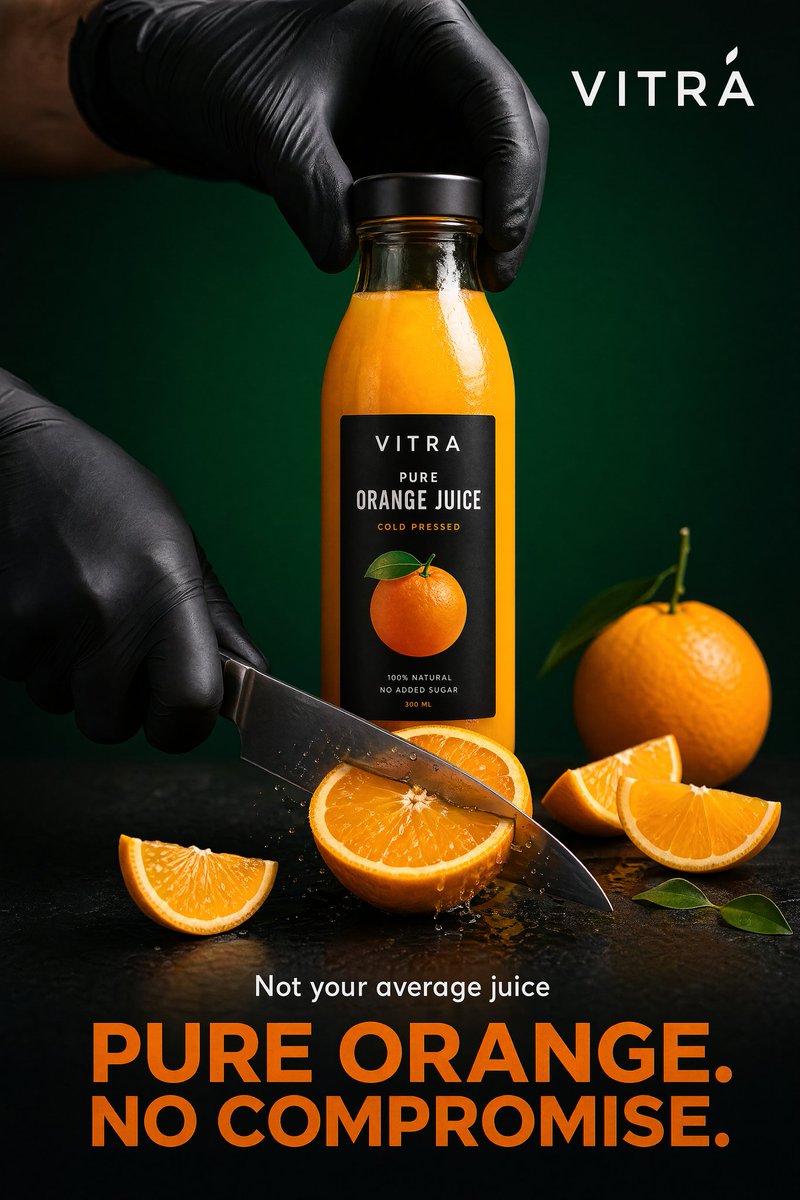
Пример рекламного product visual из библиотеки промптов. Такой формат подходит для paid social и campaign sections, но не для строгого marketplace main image.
Формула промпта
| Часть | Что указать | Зачем |
|---|---|---|
| Правда о продукте | форма, этикетка, материал, цвет, упаковка, роль референса | защищает точность |
| Канал | маркетплейс, Shopify PDP, соцреклама, лендинг, email | меняет кадр и правила |
| Сцена | белая студия, мрамор, кухня, ванная, улица | дает конкретную задачу |
| Свет | softbox, оконный свет, golden hour, macro flash | делает результат реалистичнее |
| Камера | packshot, flatlay, 85mm hero, 100mm macro | снижает расплывчатость |
| Бренд | minimal, playful, clinical, luxury, sustainable | сохраняет стиль |
| Запреты | без искаженного logo, без ложных claims, без лишних товаров | снижает риски каталога |
Базовая структура:
Create a [channel and asset type] for the uploaded [product].
Preserve the exact [shape, label, color, material, proportions, logo placement].
Place it in/on [scene or surface] with [lighting] and [camera/composition].
The mood should feel [brand direction], suitable for [store, ad, PDP, marketplace].
Do not add [props, extra products, fake claims, distorted text, watermarks, hands, clutter].
12 шаблонов
1. Главное изображение для маркетплейса
Create a marketplace-ready main product image from the uploaded product reference.
Preserve the exact product shape, proportions, color, material, label text, logo placement, and packaging details.
Place the product centered on a pure white background with realistic soft studio lighting and a subtle natural contact shadow.
Show the entire product clearly, front-facing, with no cropping and no perspective distortion.
Do not add props, people, hands, badges, sale text, rating graphics, watermarks, extra accessories, or additional products.
2. Студийный hero на мягком сером фоне
Create a premium ecommerce studio hero image for the uploaded product.
Preserve the exact product identity, label placement, color, material finish, and proportions.
Place the product on a soft light-gray seamless background with gentle gradient depth, realistic softbox lighting, and a refined shadow.
Use a front three-quarter angle that shows the product shape clearly.
Keep the composition minimal, polished, and suitable for a modern Shopify product page.
Do not change the logo, invent claims, add props, add extra text, or make the product look like a 3D render.
3. Альтернативный кадр для PDP
Create a product detail page gallery image from the uploaded product reference.
Show the product from a useful alternate angle that reveals the side profile, opening, texture, or functional detail.
Preserve the exact shape, dimensions, material, label placement, and color.
Use a clean neutral studio surface, realistic lighting, and a natural shadow.
Keep the product large and clear, with no decorative clutter.
Do not add inaccurate parts, extra accessories, unreadable label changes, or lifestyle props.
4. Lifestyle-сцена
Create a realistic lifestyle ecommerce photo for the uploaded product.
Preserve the product shape, color, logo, packaging details, and material finish.
Place it in a believable [room or use environment] with soft natural light and a small set of supporting props that match the product category.
The product must remain the hero subject, sharp and clearly visible.
Leave clean negative space on the [left/right/top] for website copy.
Use a premium product photography style, not illustration, fantasy art, or CGI.
Do not distort the label, add extra products, invent claims, or make the scene cluttered.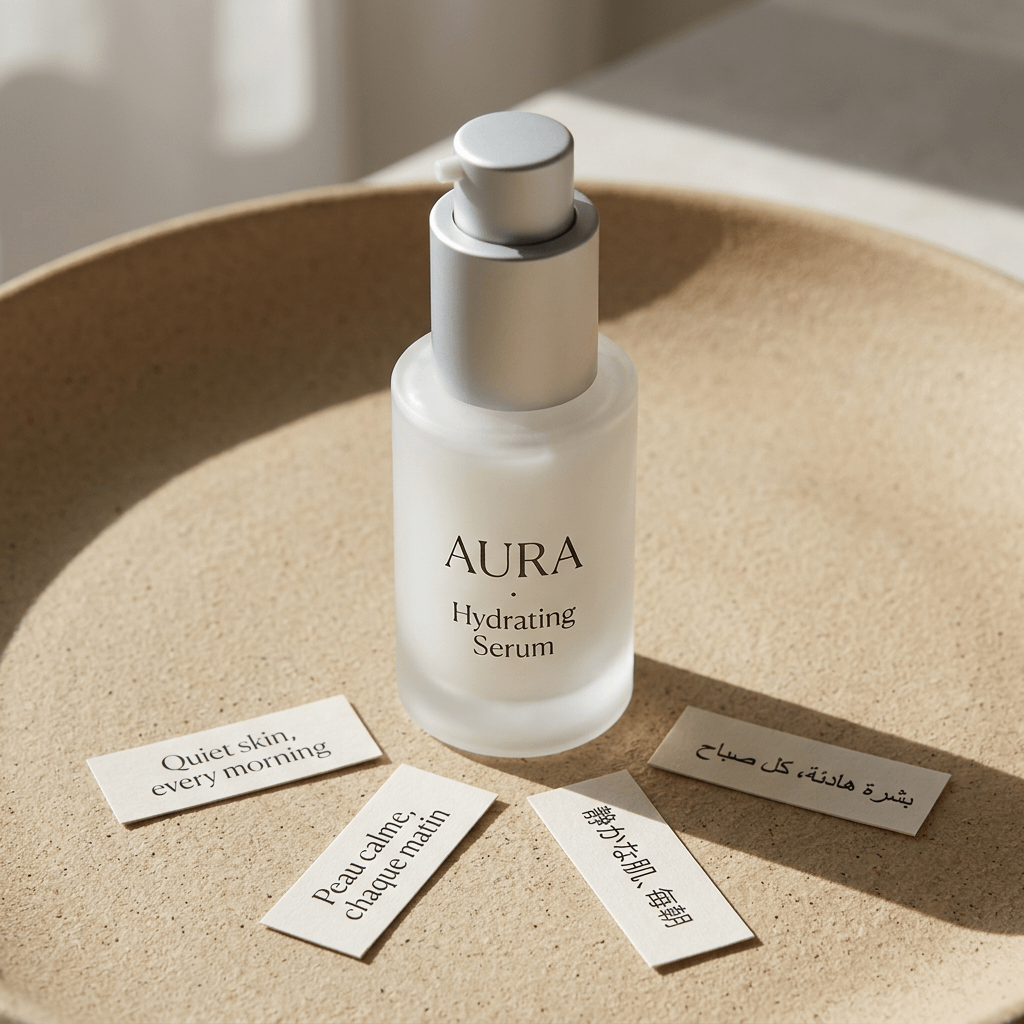
Пример studio lifestyle product shot. Он соответствует prompt выше: product identity остается центральной, а surface, lighting, props и mood формируют ecommerce image.
5. Flatlay сверху
Create a top-down ecommerce flatlay for the uploaded product.
Preserve the exact product identity, packaging, label text, color, and proportions.
Place the product on a [surface: marble slab, linen fabric, wood tabletop, matte pedestal] with 3 to 5 supporting props that fit the brand story.
Use balanced natural light, crisp shadows, and a clean uncluttered layout.
Keep the product as the largest and clearest object in the composition.
Do not add random props, fake labels, hands, watermarks, or unreadable decorative text.
6. Макро фактуры
Create a macro product detail image focused on the [texture, stitching, fabric grain, metal finish, cream texture, label embossing] of the uploaded product.
Preserve the real material, color, and product detail from the reference.
Use realistic close-up product photography with sharp focus, controlled highlights, and shallow depth of field.
The image should help shoppers understand quality and tactile feel.
Do not invent new patterns, change the material, add text overlays, or make the surface look artificial.
7. Масштаб в руке
Create an ecommerce scale-reference photo showing the uploaded product held naturally in one hand.
Preserve the exact product shape, color, label, material, and proportions.
Use a clean neutral background, realistic hand proportions, and soft studio lighting.
Keep the product sharp and fully visible, with the hand only supporting scale.
Do not distort the product, cover important label details, add jewelry distractions, add extra products, or change the product size unrealistically.
8. Реклама для соцсетей
Create a premium paid social ad image for the uploaded product.
Preserve the product identity, shape, logo, label placement, and material finish.
Use a bold but realistic campaign composition with layered background shapes, strong directional lighting, and enough empty space for a short headline.
Place the product as the central hero and make it readable at mobile feed size.
Add the headline text exactly: "[SHORT HEADLINE]".
Use clean modern typography.
Do not invent product claims, add fake certifications, distort the logo, add cluttered badges, or make the text unreadable.
9. Сезонный вариант
Create a seasonal ecommerce campaign image for the uploaded product.
Preserve the product shape, label, color, logo placement, and material finish exactly.
Place the product in a [seasonal setting] with tasteful props, realistic lighting, and a clean commercial composition.
The seasonal elements should support the product, not cover it.
Keep enough negative space for campaign copy.
Do not add fake limited-edition claims, change the packaging, add extra products, or make the scene look like a fantasy render.
10. Packaging dieline или mockup
Create a clean ecommerce packaging dieline or flat-net review image for [product category].
Flatten the 3D packaging into a 2D net.
Expand all panels and tabs with orthographic projection and no distortion.
Map textures and label artwork precisely.
Add contrasting die-lines on a pure white background.
Keep the output clean enough for packaging review, not just a decorative render.
Do not add unreadable micro text, fake certifications, random claims, warped logos, or extra design elements not requested.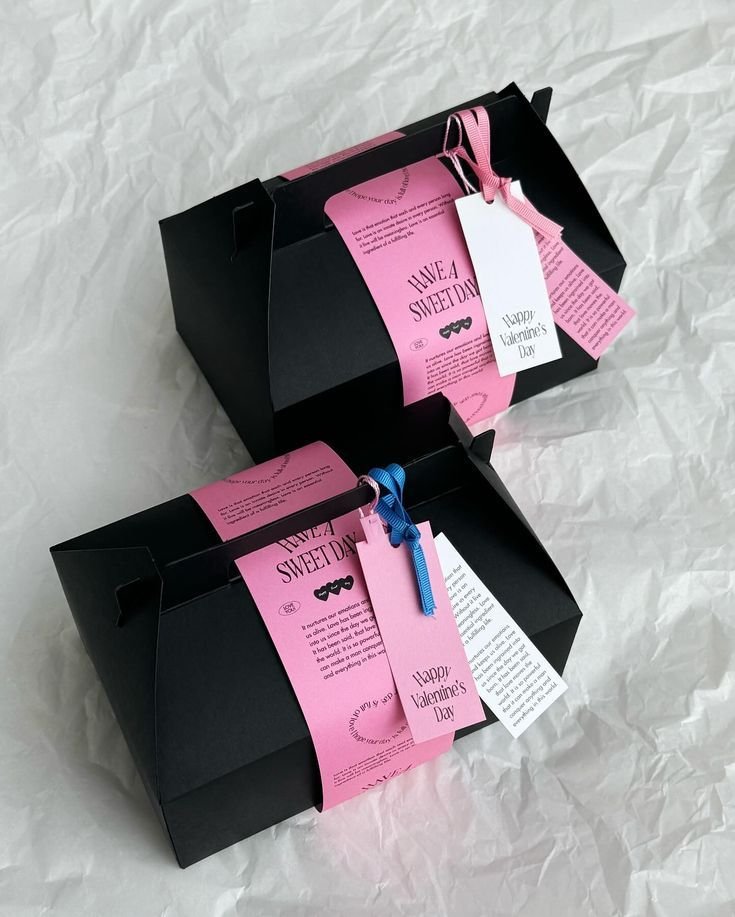
Пример packaging dieline. Для упаковки prompt должен отделять review-ready layout от декоративного product render.
11. Линейка набора или вариантов
Create a clean ecommerce lineup image showing [number] product variants from the uploaded references.
Preserve the exact identity, label, color, proportions, and packaging details of each item.
Arrange the products in a balanced row on a neutral studio surface with consistent lighting and natural shadows.
Make size differences and variant differences easy to understand.
Do not invent additional variants, swap labels, change product scale inaccurately, add props, or add promotional badges.
12. Исправление готового изображения
Edit the generated ecommerce image while preserving the overall composition, lighting, crop, and mood.
Fix only these issues: [list exact issues, such as distorted logo, label too soft, product leaning, extra prop, incorrect color, unreadable headline].
Keep the product shape, label placement, color, material, and proportions accurate to the uploaded product reference.
Do not change the background, camera angle, product position, or styling unless required to fix the listed issues.
Быстрая адаптация
Для beauty добавляйте этикетку, форму крышки, прозрачность и текстуру крема. Для еды и напитков сохраняйте размер упаковки, logo и избегайте выдуманных nutrition claims. Для одежды важны крой, ткань, швы и точный цвет. Для украшений задавайте металл, камни, отражения и масштаб. Для электроники защищайте порты, кнопки, экран и геометрию.
В GPTIMG2 AI лучше делать несколько вариантов, выбрать сильную композицию, а затем исправлять один дефект за проход: label, logo, цвет, масштаб или текст.
Частые ошибки и быстрые исправления
| Ошибка | Что добавить в промпт |
|---|---|
| Logo или label изменились | Preserve the uploaded label exactly. Do not rewrite, simplify, translate, or invent any text. |
| Товар выглядит искусственно | Use realistic product photography with physical shadows, natural reflections, and material-specific highlights. |
| Слишком много props | Limit props to two small supporting objects. Keep the product as the only hero subject. |
| Главное изображение стало рекламой | No headline, no badges, no sale graphics, no lifestyle background. Product-only marketplace image. |
| Неверный масштаб | Use realistic scale compared with a hand / table / standard room object. Do not enlarge the product unrealistically. |
| Текст плохо читается | Use fewer words, larger typography, high contrast, and keep text away from product edges. |
Исправляйте изображение небольшими проходами. Если композиция удачная, но испорчена этикетка, правьте только этикетку. Полную регенерацию стоит делать только тогда, когда сама композиция не подходит.
Рабочий процесс GPTIMG2
В GPTIMG2 AI:
- Загрузите самый чистый референс товара.
- Выберите один тип ассета из этого руководства.
- Скопируйте подходящий prompt и замените детали в скобках.
- Сгенерируйте 2-4 версии.
- Выберите лучшую композицию и сделайте correction pass для label, формы товара или текста.
- Сохраните удачный prompt для следующего SKU.
Для новых стартовых точек используйте библиотеку промптов GPT Image 2 и адаптируйте примеры под канал.
FAQ
Что должен включать prompt для ecommerce-фото?
Он должен указывать тип изображения, факты о товаре, канал, сцену, свет, композицию и запреты. Главное изображение для marketplace защищает точность товара; lifestyle-сцена описывает окружение; рекламный креатив оставляет место под короткий headline.
Нужно ли загружать фото товара?
Да, если нужно сохранить реальный SKU. Фото помогает удержать форму, label, материал, пропорции и брендовые детали. Text-only лучше подходит для вымышленных товаров, концептов упаковки и moodboard.
Можно ли использовать эти шаблоны как бесплатный генератор промптов?
Да. Меняйте факты о товаре, сцену, канал, кадрирование и запреты. Главное не в новых прилагательных, а в точных ограничениях продукта.
Почему результат может провалиться даже с подробным prompt?
Часто prompt смешивает разные цели: marketplace image, lifestyle, рекламу и redesign упаковки. Разделите задачу на отдельные ассеты и исправляйте одну проблему за проход.