EC 商品写真プロンプト:GPT Image 2 テンプレート 12 選
EC 商品写真向けのプロンプトをコピーして使えます。メイン画像、ライフスタイル、広告、パッケージ、修正用まで GPT Image 2 で活用できます。
EC 商品写真のよいプロンプトは、「高級感」「リアル」だけでは足りません。商品、掲載チャネル、シーン、光、カメラ感、ブランド制約、そして変えてはいけない要素を明確にします。実在 SKU の正確性が必要なら、まず商品参照画像をアップロードし、GPT Image 2 に具体的なアセット種別を依頼します。たとえばマーケットプレイス主画像、PDP ギャラリー、ライフスタイル画像、広告、パッケージ、修正パスです。
これらのテンプレートは GPTIMG2 AI で使えます。追加例は GPT Image 2 prompt library を参照してください。
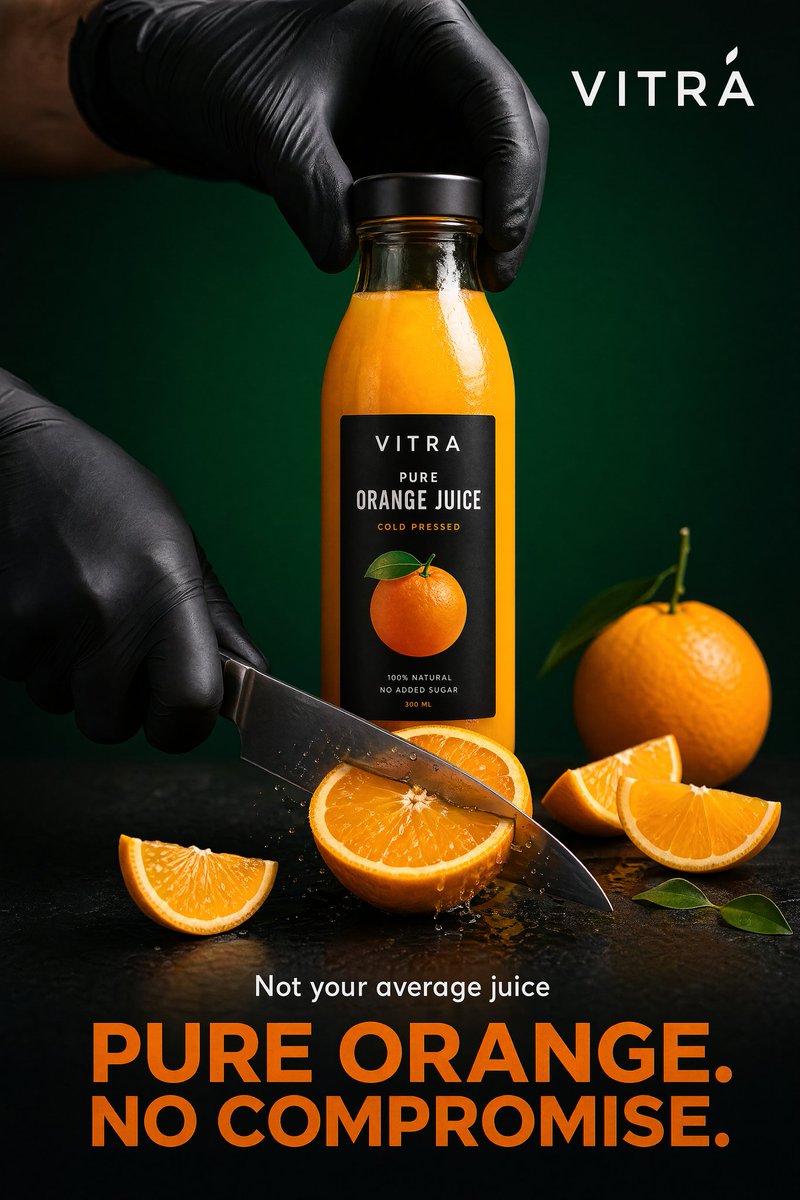
Prompt library の product ad 例です。Paid social やキャンペーンには向きますが、厳密な marketplace main image には向きません。
プロンプトの型
| 要素 | 書く内容 | 目的 |
|---|---|---|
| 商品の事実 | 形、ラベル、素材、色、包装、参照画像の役割 | きれいでも不正確な結果を防ぐ |
| チャネル | marketplace、Shopify PDP、SNS 広告、LP、メール | 構図と制約が変わる |
| シーン | 白背景スタジオ、大理石、キッチン、浴室、屋外 | 具体的な視覚タスクになる |
| 光 | softbox、窓光、golden hour、macro flash | リアリティを制御する |
| カメラ感 | 正面 packshot、flatlay、85mm hero、100mm macro | あいまいな指示を減らす |
| ブランド | minimal、playful、clinical、luxury、sustainable | ブランドらしさを保つ |
| 禁止事項 | logo 歪みなし、偽 claim なし、余計な商品なし | カタログ精度を守る |
基本形:
Create a [channel and asset type] for the uploaded [product].
Preserve the exact [shape, label, color, material, proportions, logo placement].
Place it in/on [scene or surface] with [lighting] and [camera/composition].
The mood should feel [brand direction], suitable for [store, ad, PDP, marketplace].
Do not add [props, extra products, fake claims, distorted text, watermarks, hands, clutter].
12 個のコピーテンプレート
1. マーケットプレイス主画像
Create a marketplace-ready main product image from the uploaded product reference.
Preserve the exact product shape, proportions, color, material, label text, logo placement, and packaging details.
Place the product centered on a pure white background with realistic soft studio lighting and a subtle natural contact shadow.
Show the entire product clearly, front-facing, with no cropping and no perspective distortion.
Do not add props, people, hands, badges, sale text, rating graphics, watermarks, extra accessories, or additional products.
2. ソフトグレーのスタジオ hero
Create a premium ecommerce studio hero image for the uploaded product.
Preserve the exact product identity, label placement, color, material finish, and proportions.
Place the product on a soft light-gray seamless background with gentle gradient depth, realistic softbox lighting, and a refined shadow.
Use a front three-quarter angle that shows the product shape clearly.
Keep the composition minimal, polished, and suitable for a modern Shopify product page.
Do not change the logo, invent claims, add props, add extra text, or make the product look like a 3D render.
3. PDP ギャラリー用の別角度
Create a product detail page gallery image from the uploaded product reference.
Show the product from a useful alternate angle that reveals the side profile, opening, texture, or functional detail.
Preserve the exact shape, dimensions, material, label placement, and color.
Use a clean neutral studio surface, realistic lighting, and a natural shadow.
Keep the product large and clear, with no decorative clutter.
Do not add inaccurate parts, extra accessories, unreadable label changes, or lifestyle props.
4. ブランドストア向けライフスタイル
Create a realistic lifestyle ecommerce photo for the uploaded product.
Preserve the product shape, color, logo, packaging details, and material finish.
Place it in a believable [room or use environment] with soft natural light and a small set of supporting props that match the product category.
The product must remain the hero subject, sharp and clearly visible.
Leave clean negative space on the [left/right/top] for website copy.
Use a premium product photography style, not illustration, fantasy art, or CGI.
Do not distort the label, add extra products, invent claims, or make the scene cluttered.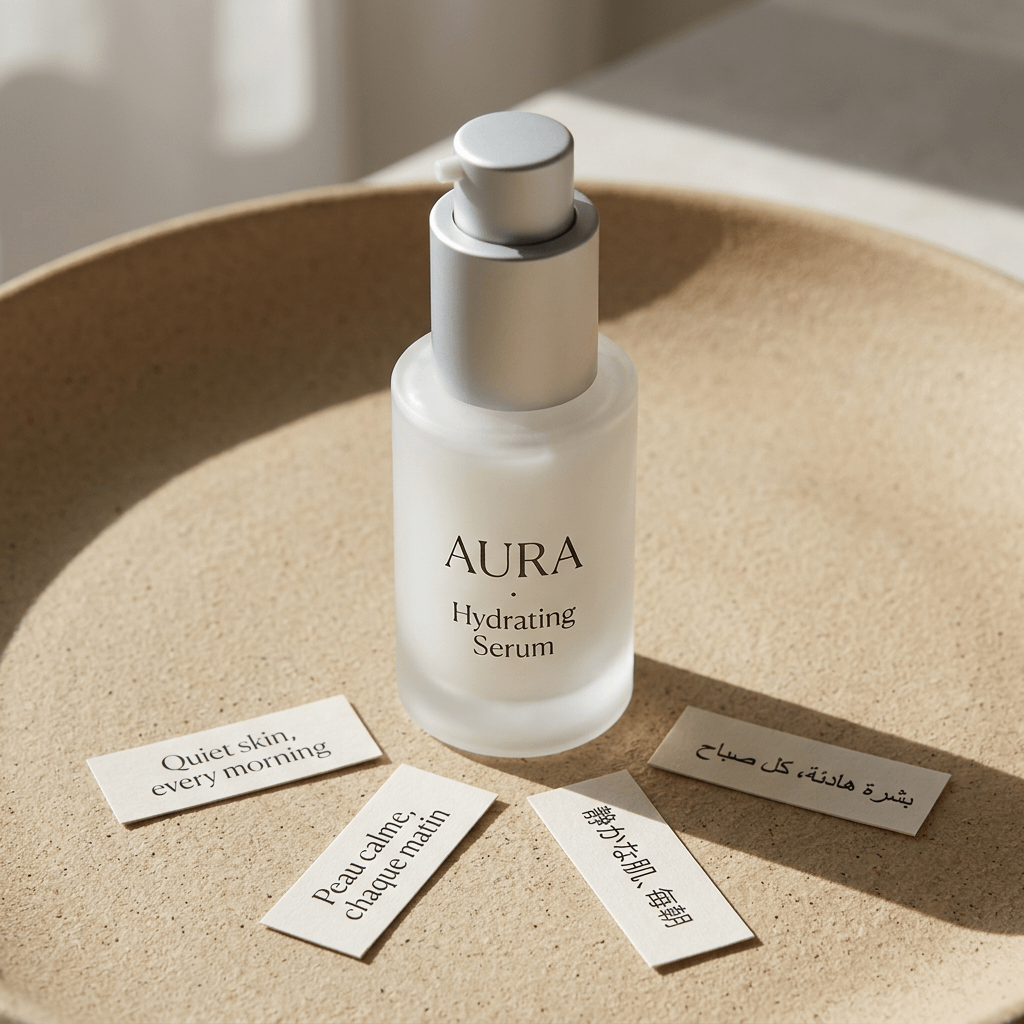
Studio lifestyle product shot の例です。上の prompt と対応し、商品 identity を中心に置いたまま、surface、lighting、props、mood で EC 画像を作っています。
5. トップダウン flatlay
Create a top-down ecommerce flatlay for the uploaded product.
Preserve the exact product identity, packaging, label text, color, and proportions.
Place the product on a [surface: marble slab, linen fabric, wood tabletop, matte pedestal] with 3 to 5 supporting props that fit the brand story.
Use balanced natural light, crisp shadows, and a clean uncluttered layout.
Keep the product as the largest and clearest object in the composition.
Do not add random props, fake labels, hands, watermarks, or unreadable decorative text.
6. 素材マクロ
Create a macro product detail image focused on the [texture, stitching, fabric grain, metal finish, cream texture, label embossing] of the uploaded product.
Preserve the real material, color, and product detail from the reference.
Use realistic close-up product photography with sharp focus, controlled highlights, and shallow depth of field.
The image should help shoppers understand quality and tactile feel.
Do not invent new patterns, change the material, add text overlays, or make the surface look artificial.
7. 手持ちスケール参照
Create an ecommerce scale-reference photo showing the uploaded product held naturally in one hand.
Preserve the exact product shape, color, label, material, and proportions.
Use a clean neutral background, realistic hand proportions, and soft studio lighting.
Keep the product sharp and fully visible, with the hand only supporting scale.
Do not distort the product, cover important label details, add jewelry distractions, add extra products, or change the product size unrealistically.
8. SNS 広告クリエイティブ
Create a premium paid social ad image for the uploaded product.
Preserve the product identity, shape, logo, label placement, and material finish.
Use a bold but realistic campaign composition with layered background shapes, strong directional lighting, and enough empty space for a short headline.
Place the product as the central hero and make it readable at mobile feed size.
Add the headline text exactly: "[SHORT HEADLINE]".
Use clean modern typography.
Do not invent product claims, add fake certifications, distort the logo, add cluttered badges, or make the text unreadable.
9. 季節キャンペーン
Create a seasonal ecommerce campaign image for the uploaded product.
Preserve the product shape, label, color, logo placement, and material finish exactly.
Place the product in a [seasonal setting] with tasteful props, realistic lighting, and a clean commercial composition.
The seasonal elements should support the product, not cover it.
Keep enough negative space for campaign copy.
Do not add fake limited-edition claims, change the packaging, add extra products, or make the scene look like a fantasy render.
10. Packaging dieline または mockup
Create a clean ecommerce packaging dieline or flat-net review image for [product category].
Flatten the 3D packaging into a 2D net.
Expand all panels and tabs with orthographic projection and no distortion.
Map textures and label artwork precisely.
Add contrasting die-lines on a pure white background.
Keep the output clean enough for packaging review, not just a decorative render.
Do not add unreadable micro text, fake certifications, random claims, warped logos, or extra design elements not requested.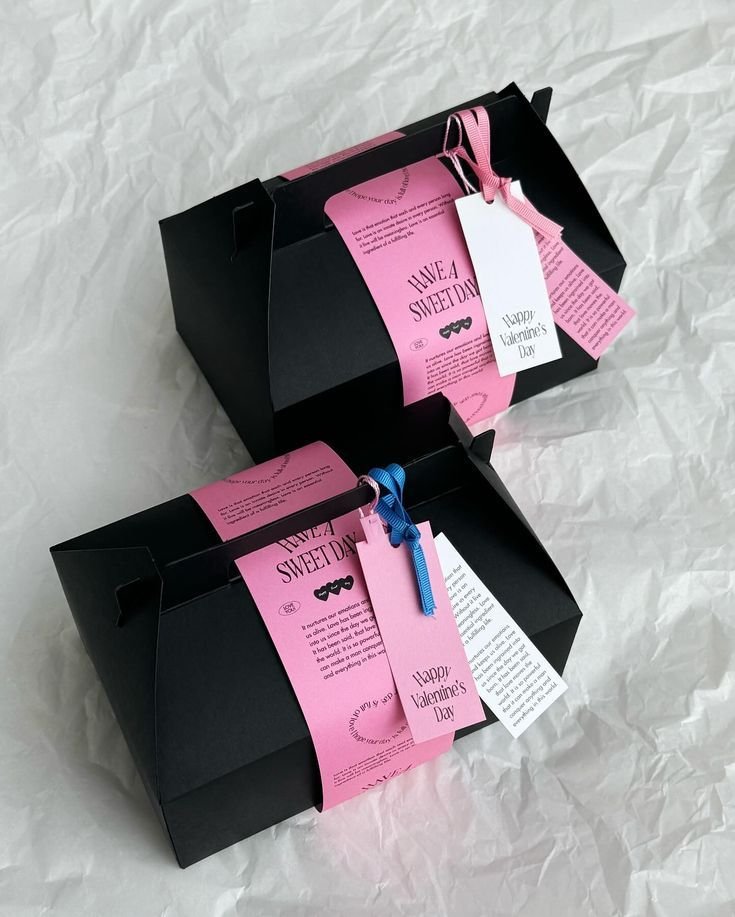
Packaging dieline の例です。包装 prompt は、レビューできる構造と装飾的な product render を分けて考える必要があります。
11. セットまたはバリエーションの lineup
Create a clean ecommerce lineup image showing [number] product variants from the uploaded references.
Preserve the exact identity, label, color, proportions, and packaging details of each item.
Arrange the products in a balanced row on a neutral studio surface with consistent lighting and natural shadows.
Make size differences and variant differences easy to understand.
Do not invent additional variants, swap labels, change product scale inaccurately, add props, or add promotional badges.
12. 生成画像の修正
Edit the generated ecommerce image while preserving the overall composition, lighting, crop, and mood.
Fix only these issues: [list exact issues, such as distorted logo, label too soft, product leaning, extra prop, incorrect color, unreadable headline].
Keep the product shape, label placement, color, material, and proportions accurate to the uploaded product reference.
Do not change the background, camera angle, product position, or styling unless required to fix the listed issues.
商品カテゴリ別の調整
美容ならラベル、キャップ形状、透明感、クリーム質感を守ります。食品飲料なら包装サイズと logo を守り、架空の栄養 claim は避けます。アパレルならシルエット、布地、縫製、色精度。ジュエリーなら金属色、宝石、反射、スケール。家電ならポート、画面、ボタン、形状を保護します。
GPTIMG2 AI では、複数案を生成して構図を選び、logo、ラベル、色、スケール、文字など一つずつ修正するのが安定します。
よくある失敗と修正
| 失敗 | 追加する修正文 |
|---|---|
| logo やラベルが変わる | Preserve the uploaded label exactly. Do not rewrite, simplify, translate, or invent any text. |
| 商品が作り物っぽい | Use realistic product photography with physical shadows, natural reflections, and material-specific highlights. |
| 小物が多すぎる | Limit props to two small supporting objects. Keep the product as the only hero subject. |
| 主画像が広告になってしまう | No headline, no badges, no sale graphics, no lifestyle background. Product-only marketplace image. |
| スケールが不自然 | Use realistic scale compared with a hand / table / standard room object. Do not enlarge the product unrealistically. |
| 文字が読めない | Use fewer words, larger typography, high contrast, and keep text away from product edges. |
修正は小さく分けます。構図がよくてラベルだけ悪いなら、ラベルだけ直します。構図自体が使えない場合だけ全体を作り直します。
GPTIMG2 の流れ
GPTIMG2 AI では次の順で進めます。
- 最もきれいな商品参照画像をアップロードする。
- このガイドから 1 つのアセット種別を選ぶ。
- 対応する prompt をコピーし、角括弧の内容を置き換える。
- 2-4 パターン生成する。
- 最もよい構図を選び、ラベル、商品形状、文字だけを修正する。
- うまくいった prompt を次の SKU 用に保存する。
さらに例が必要な場合は、GPT Image 2 prompt library を開き、チャネル別に調整してください。
FAQ
EC 商品写真の prompt には何を入れるべきですか?
画像タイプ、商品事実、チャネル、シーン、光、構図、禁止事項を入れます。Marketplace 主画像では商品精度を優先し、lifestyle 画像では環境と小物を指定し、広告画像では短い headline の余白を確保します。
商品写真をアップロードする必要はありますか?
実在 SKU を保つならアップロードした方が安定します。形、ラベル、素材、比率、ブランド細部を維持しやすくなります。テキストだけの生成は、架空商品、パッケージ案、moodboard に向いています。
このテンプレートは無料の prompt generator として使えますか?
使えます。商品事実、シーン、チャネル、画角、禁止事項を差し替えてください。重要なのは形容詞を増やすことではなく、商品制約を具体化することです。
詳細な prompt でも失敗するのはなぜですか?
複数の目的を一度に混ぜると失敗しやすくなります。主画像、lifestyle、広告、パッケージ redesign を 1 つにまとめず、別々のアセットとして作り、1 回に 1 つだけ修正します。