Prompts photo produit e-commerce : 12 modèles GPT Image 2
Copiez ces prompts photo produit e-commerce pour images principales, scènes lifestyle, publicités, packaging et corrections avec GPT Image 2.
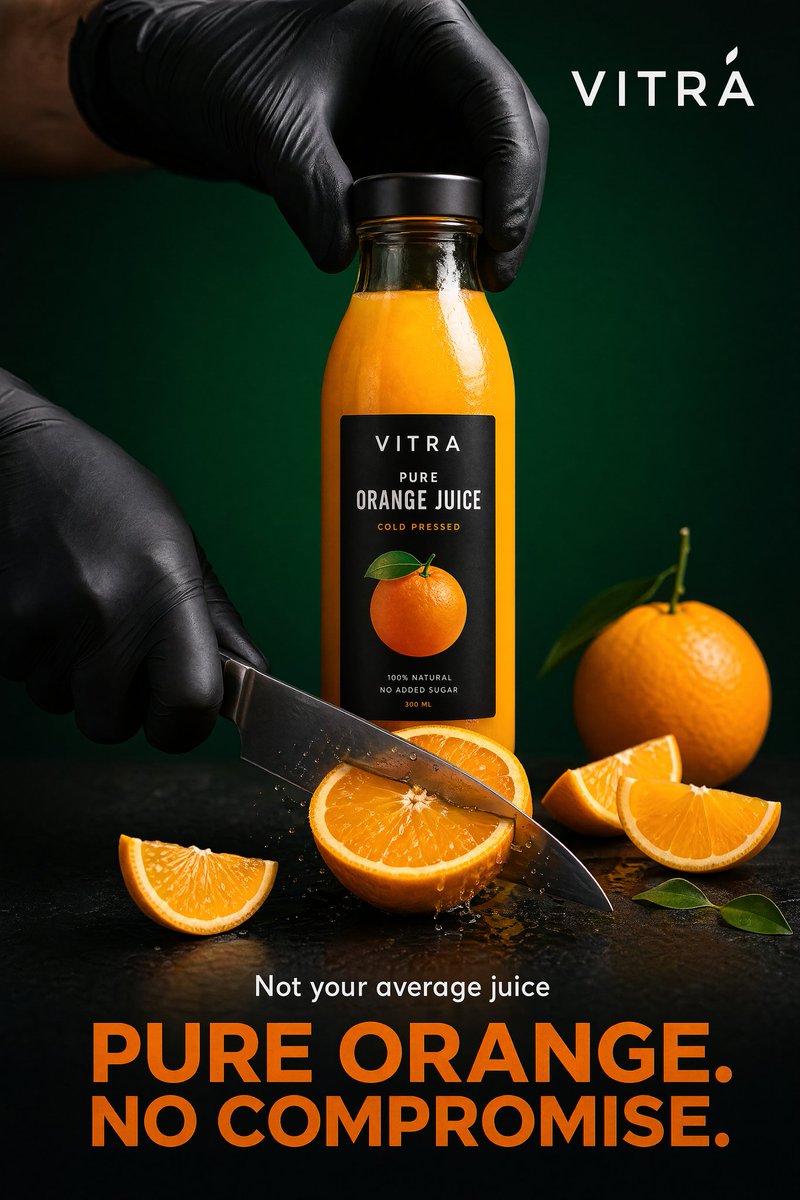
Un bon prompt photo produit e-commerce ne se limite pas à “premium” ou “réaliste”. Il précise le produit, le canal, la scène, la lumière, le rendu caméra, les contraintes de marque et ce qui ne doit pas changer. Quand l’exactitude du SKU compte, importez d’abord une référence produit, puis demandez à GPT Image 2 un type d’image précis : image principale, galerie PDP, scène lifestyle, publicité, packaging ou passe de correction.
Vous pouvez utiliser ces modèles dans GPTIMG2 AI. Pour plus d’exemples, consultez la bibliothèque de prompts GPT Image 2.
Exemple de visuel publicitaire produit issu de la bibliothèque de prompts. À utiliser pour les campagnes ou le paid social, pas pour une image principale marketplace stricte.
La formule de prompt
| Partie | À préciser | Pourquoi |
|---|---|---|
| Vérité produit | forme, étiquette, matière, couleur, packaging, rôle de la référence | évite les résultats jolis mais faux |
| Canal | marketplace, Shopify PDP, social ads, landing page, email | change le cadrage et les règles |
| Scène | studio blanc, marbre, cuisine, salle de bain, extérieur | donne une tâche visuelle concrète |
| Lumière | softbox, fenêtre, golden hour, macro, reflets propres | améliore le réalisme |
| Caméra | packshot face, flatlay, héros 85 mm, macro 100 mm | réduit les consignes vagues |
| Marque | minimal, ludique, clinique, luxe, durable, DTC | garde le résultat exploitable |
| Interdits | pas de logo déformé, pas de fausses promesses, pas de texte illisible | protège la précision catalogue |
Structure de base :
Create a [channel and asset type] for the uploaded [product].
Preserve the exact [shape, label, color, material, proportions, logo placement].
Place it in/on [scene or surface] with [lighting] and [camera/composition].
The mood should feel [brand direction], suitable for [store, ad, PDP, marketplace].
Do not add [props, extra products, fake claims, distorted text, watermarks, hands, clutter].
12 prompts à copier
1. Image principale marketplace
Create a marketplace-ready main product image from the uploaded product reference.
Preserve the exact product shape, proportions, color, material, label text, logo placement, and packaging details.
Place the product centered on a pure white background with realistic soft studio lighting and a subtle natural contact shadow.
Show the entire product clearly, front-facing, with no cropping and no perspective distortion.
Do not add props, people, hands, badges, sale text, rating graphics, watermarks, extra accessories, or additional products.
2. Héros studio gris doux
Create a premium ecommerce studio hero image for the uploaded product.
Preserve the exact product identity, label placement, color, material finish, and proportions.
Place the product on a soft light-gray seamless background with gentle gradient depth, realistic softbox lighting, and a refined shadow.
Use a front three-quarter angle that shows the product shape clearly.
Keep the composition minimal, polished, and suitable for a modern Shopify product page.
Do not change the logo, invent claims, add props, add extra text, or make the product look like a 3D render.
3. Angle pour galerie PDP
Create a product detail page gallery image from the uploaded product reference.
Show the product from a useful alternate angle that reveals the side profile, opening, texture, or functional detail.
Preserve the exact shape, dimensions, material, label placement, and color.
Use a clean neutral studio surface, realistic lighting, and a natural shadow.
Keep the product large and clear, with no decorative clutter.
Do not add inaccurate parts, extra accessories, unreadable label changes, or lifestyle props.
4. Scène lifestyle
Create a realistic lifestyle ecommerce photo for the uploaded product.
Preserve the product shape, color, logo, packaging details, and material finish.
Place it in a believable [room or use environment] with soft natural light and a small set of supporting props that match the product category.
The product must remain the hero subject, sharp and clearly visible.
Leave clean negative space on the [left/right/top] for website copy.
Use a premium product photography style, not illustration, fantasy art, or CGI.
Do not distort the label, add extra products, invent claims, or make the scene cluttered.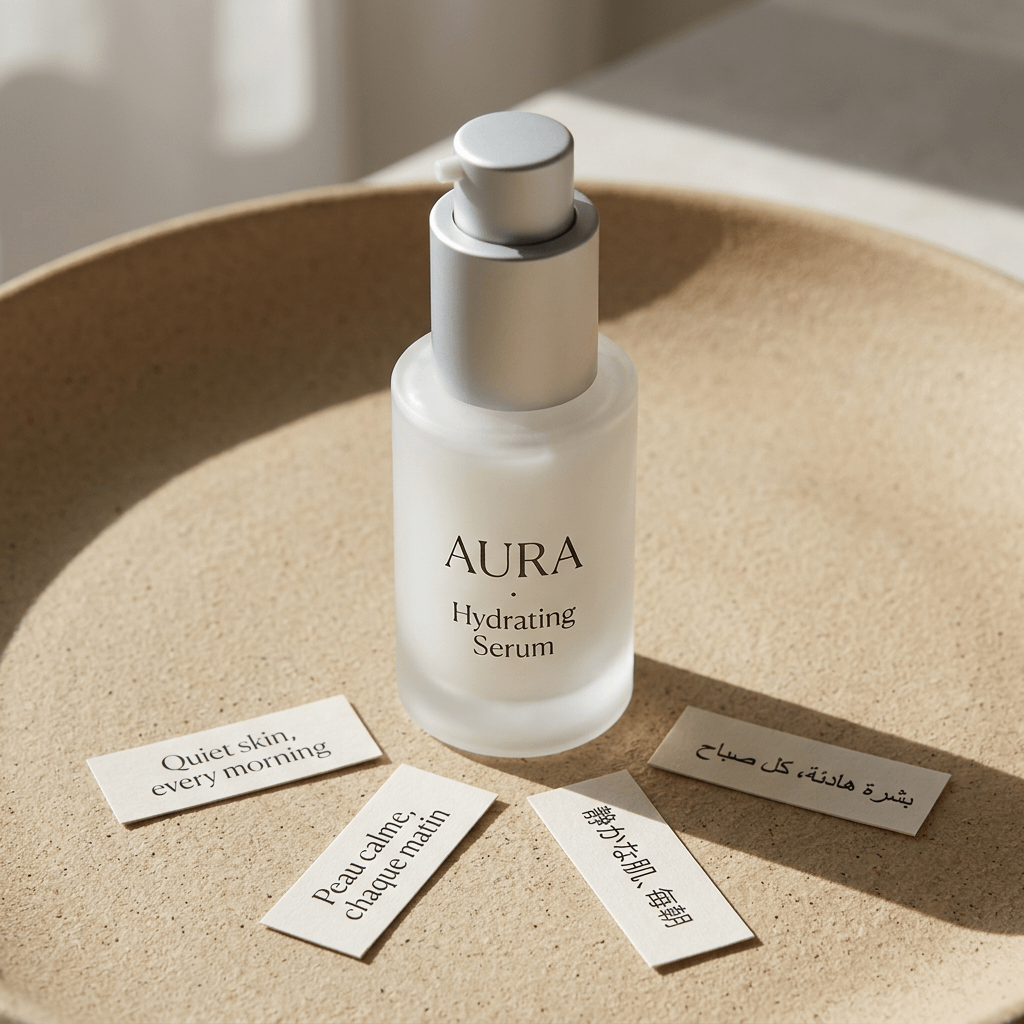
Exemple de photo produit lifestyle en studio. Il correspond au prompt précédent : l’identité produit reste centrale, tandis que la surface, la lumière, les accessoires et l’ambiance structurent l’image e-commerce.
5. Flatlay vue du dessus
Create a top-down ecommerce flatlay for the uploaded product.
Preserve the exact product identity, packaging, label text, color, and proportions.
Place the product on a [surface: marble slab, linen fabric, wood tabletop, matte pedestal] with 3 to 5 supporting props that fit the brand story.
Use balanced natural light, crisp shadows, and a clean uncluttered layout.
Keep the product as the largest and clearest object in the composition.
Do not add random props, fake labels, hands, watermarks, or unreadable decorative text.
6. Détail macro matière
Create a macro product detail image focused on the [texture, stitching, fabric grain, metal finish, cream texture, label embossing] of the uploaded product.
Preserve the real material, color, and product detail from the reference.
Use realistic close-up product photography with sharp focus, controlled highlights, and shallow depth of field.
The image should help shoppers understand quality and tactile feel.
Do not invent new patterns, change the material, add text overlays, or make the surface look artificial.
7. Référence de taille en main
Create an ecommerce scale-reference photo showing the uploaded product held naturally in one hand.
Preserve the exact product shape, color, label, material, and proportions.
Use a clean neutral background, realistic hand proportions, and soft studio lighting.
Keep the product sharp and fully visible, with the hand only supporting scale.
Do not distort the product, cover important label details, add jewelry distractions, add extra products, or change the product size unrealistically.
8. Publicité social paid
Create a premium paid social ad image for the uploaded product.
Preserve the product identity, shape, logo, label placement, and material finish.
Use a bold but realistic campaign composition with layered background shapes, strong directional lighting, and enough empty space for a short headline.
Place the product as the central hero and make it readable at mobile feed size.
Add the headline text exactly: "[SHORT HEADLINE]".
Use clean modern typography.
Do not invent product claims, add fake certifications, distort the logo, add cluttered badges, or make the text unreadable.
9. Variante saisonnière
Create a seasonal ecommerce campaign image for the uploaded product.
Preserve the product shape, label, color, logo placement, and material finish exactly.
Place the product in a [seasonal setting] with tasteful props, realistic lighting, and a clean commercial composition.
The seasonal elements should support the product, not cover it.
Keep enough negative space for campaign copy.
Do not add fake limited-edition claims, change the packaging, add extra products, or make the scene look like a fantasy render.
10. Dieline ou mockup packaging
Create a clean ecommerce packaging dieline or flat-net review image for [product category].
Flatten the 3D packaging into a 2D net.
Expand all panels and tabs with orthographic projection and no distortion.
Map textures and label artwork precisely.
Add contrasting die-lines on a pure white background.
Keep the output clean enough for packaging review, not just a decorative render.
Do not add unreadable micro text, fake certifications, random claims, warped logos, or extra design elements not requested.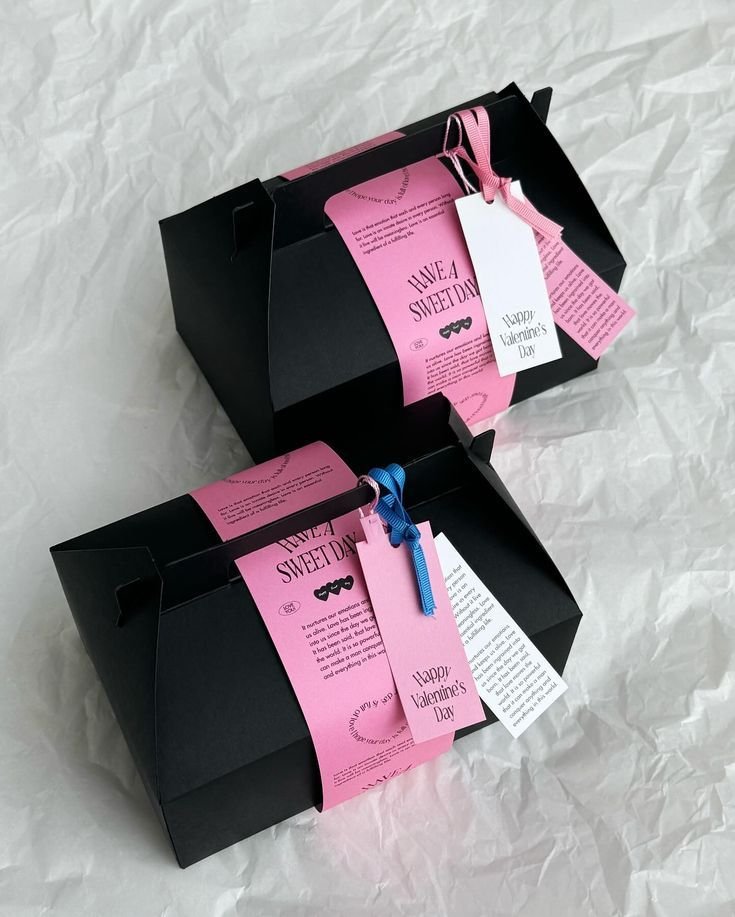
Exemple de dieline packaging. Un prompt packaging doit distinguer une structure révisable d’un simple rendu décoratif.
11. Lineup de pack ou variantes
Create a clean ecommerce lineup image showing [number] product variants from the uploaded references.
Preserve the exact identity, label, color, proportions, and packaging details of each item.
Arrange the products in a balanced row on a neutral studio surface with consistent lighting and natural shadows.
Make size differences and variant differences easy to understand.
Do not invent additional variants, swap labels, change product scale inaccurately, add props, or add promotional badges.
12. Passe de correction
Edit the generated ecommerce image while preserving the overall composition, lighting, crop, and mood.
Fix only these issues: [list exact issues, such as distorted logo, label too soft, product leaning, extra prop, incorrect color, unreadable headline].
Keep the product shape, label placement, color, material, and proportions accurate to the uploaded product reference.
Do not change the background, camera angle, product position, or styling unless required to fix the listed issues.
Adapter par type de produit
| Produit | Contraintes à ajouter |
|---|---|
| Beauté | étiquette nette, bouchon, transparence, texture crème, accessoires de vanity |
| Alimentaire | taille du pack, logo, fraîcheur visuelle, pas de promesses nutritionnelles inventées |
| Mode | coupe, tissu, coutures, fit, couleur exacte |
| Bijoux | couleur du métal, pierre, reflets, macro, échelle réaliste |
| Maison | dimensions, matière, échelle de pièce, ombre, contact avec la surface |
| Électronique | ports, écran, boutons, géométrie, câbles et accessoires |
Dans GPTIMG2 AI, générez plusieurs versions, choisissez la meilleure composition, puis corrigez seulement les problèmes visibles : logo, étiquette, couleur, échelle ou texte.
Échecs fréquents et corrections rapides
| Problème | Correction à ajouter |
|---|---|
| Logo ou étiquette modifiés | Preserve the uploaded label exactly. Do not rewrite, simplify, translate, or invent any text. |
| Produit trop artificiel | Use realistic product photography with physical shadows, natural reflections, and material-specific highlights. |
| Trop d’accessoires | Limit props to two small supporting objects. Keep the product as the only hero subject. |
| Image principale transformée en publicité | No headline, no badges, no sale graphics, no lifestyle background. Product-only marketplace image. |
| Mauvaise échelle | Use realistic scale compared with a hand / table / standard room object. Do not enlarge the product unrealistically. |
| Texte illisible | Use fewer words, larger typography, high contrast, and keep text away from product edges. |
Corrigez par petites passes. Si la composition est bonne mais que l’étiquette est mauvaise, corrigez l’étiquette. Ne régénérez pas toute l’image sauf si la composition est elle aussi inutilisable.
Flux GPTIMG2
Dans GPTIMG2 AI :
- Importez la référence produit la plus propre.
- Choisissez un type d’image dans ce guide.
- Copiez le prompt correspondant et remplacez les détails entre crochets.
- Générez 2 à 4 versions.
- Choisissez la meilleure composition, puis lancez une passe de correction pour le label, la forme ou le texte.
- Conservez le prompt qui a fonctionné pour le prochain SKU.
Pour d’autres points de départ, ouvrez la bibliothèque de prompts GPT Image 2 et adaptez les exemples par canal.
FAQ
Que doit contenir un prompt de photo produit e-commerce ?
Il doit préciser le type d’image, les faits produit, le canal, la scène, la lumière, la composition et les règles négatives. Une image marketplace protège l’exactitude produit ; une scène lifestyle décrit l’environnement ; une publicité réserve de l’espace pour un court message.
Faut-il importer une photo produit ?
Oui, si le vrai SKU doit rester reconnaissable. L’import aide à préserver forme, étiquette, matière, proportions et détails de marque. Le texte seul convient mieux aux produits fictifs, aux concepts de packaging ou aux moodboards.
Ces modèles peuvent-ils servir de générateur de prompts gratuit ?
Oui. Remplacez les faits produit, la scène, le canal, le cadrage et les règles négatives. Le levier principal n’est pas d’ajouter des adjectifs, mais de rendre les contraintes produit plus précises.
Pourquoi une image échoue-t-elle malgré un prompt détaillé ?
Souvent parce que le prompt mélange plusieurs objectifs : image marketplace, scène lifestyle, publicité et redesign packaging. Séparez les actifs et corrigez un problème par passe.