Prompts para fotos de produto: 12 modelos GPT Image 2
Copie prompts para fotos de produto em ecommerce: imagem principal, cena lifestyle, anúncios, embalagem e correções rápidas com GPT Image 2.
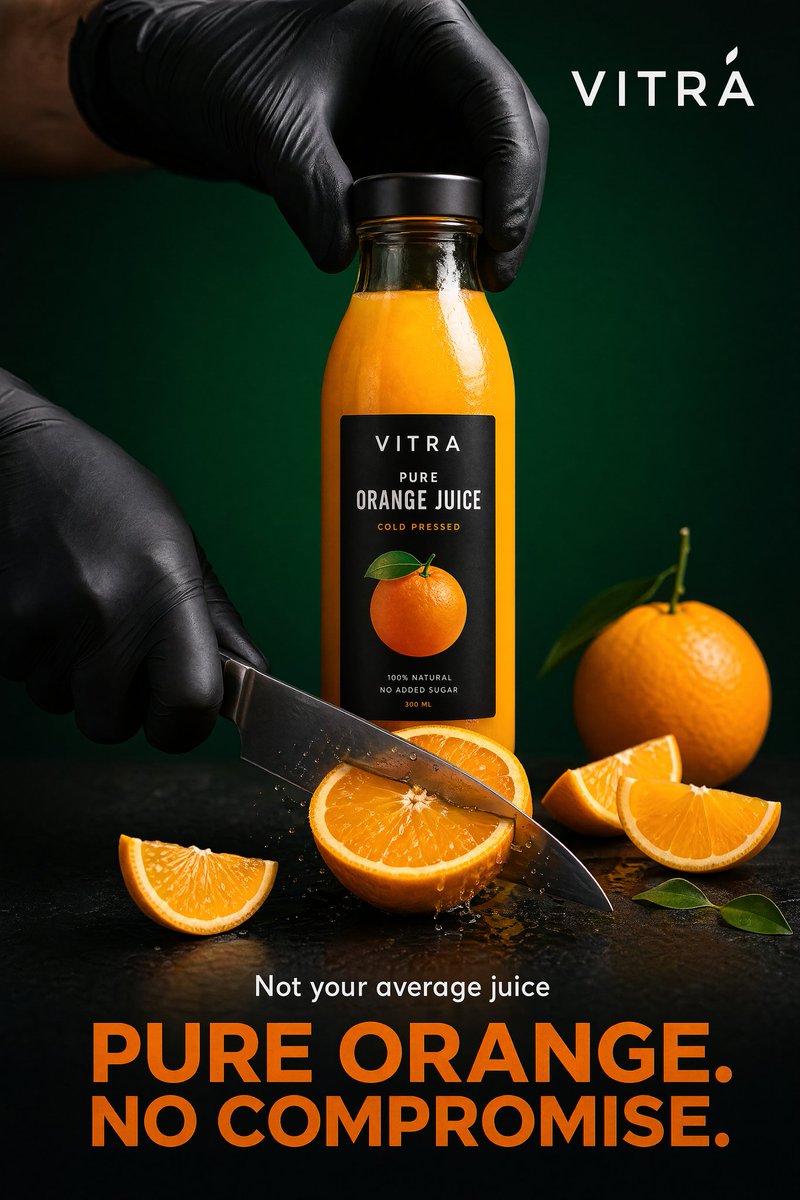
Um bom prompt para foto de produto em ecommerce não diz apenas “premium” ou “realista”. Ele define produto, canal, cena, luz, sensação de câmera, restrições de marca e o que não pode mudar. Quando a precisão do SKU importa, envie uma referência real do produto e peça ao GPT Image 2 um ativo específico: imagem principal, galeria de PDP, cena lifestyle, anúncio, embalagem ou correção.
Use estes modelos no GPTIMG2 AI. Para mais ideias, consulte a biblioteca de prompts do GPT Image 2.
Exemplo de visual de anúncio de produto da biblioteca de prompts. Use esse formato para campanhas ou paid social, não para uma imagem principal rígida de marketplace.
Fórmula do prompt
| Parte | O que escrever | Por que importa |
|---|---|---|
| Verdade do produto | forma, rótulo, material, cor, embalagem, papel da referência | evita imagens bonitas mas incorretas |
| Canal | marketplace, Shopify PDP, social ads, landing page, email | muda corte, fundo e tolerância de risco |
| Cena | estúdio branco, mármore, cozinha, banheiro, externo | dá uma tarefa visual concreta |
| Luz | softbox, janela, golden hour, macro flash | controla realismo e legibilidade |
| Câmera | packshot frontal, flatlay, hero 85 mm, macro 100 mm | reduz instruções vagas |
| Marca | minimalista, divertida, clínica, luxo, sustentável, DTC | mantém o resultado no tom certo |
| Regras negativas | sem logo distorcido, sem claims falsos, sem texto ilegível | protege o catálogo |
Estrutura base:
Create a [channel and asset type] for the uploaded [product].
Preserve the exact [shape, label, color, material, proportions, logo placement].
Place it in/on [scene or surface] with [lighting] and [camera/composition].
The mood should feel [brand direction], suitable for [store, ad, PDP, marketplace].
Do not add [props, extra products, fake claims, distorted text, watermarks, hands, clutter].
12 prompts copiáveis
1. Imagem principal de marketplace
Create a marketplace-ready main product image from the uploaded product reference.
Preserve the exact product shape, proportions, color, material, label text, logo placement, and packaging details.
Place the product centered on a pure white background with realistic soft studio lighting and a subtle natural contact shadow.
Show the entire product clearly, front-facing, with no cropping and no perspective distortion.
Do not add props, people, hands, badges, sale text, rating graphics, watermarks, extra accessories, or additional products.
2. Hero de estúdio cinza suave
Create a premium ecommerce studio hero image for the uploaded product.
Preserve the exact product identity, label placement, color, material finish, and proportions.
Place the product on a soft light-gray seamless background with gentle gradient depth, realistic softbox lighting, and a refined shadow.
Use a front three-quarter angle that shows the product shape clearly.
Keep the composition minimal, polished, and suitable for a modern Shopify product page.
Do not change the logo, invent claims, add props, add extra text, or make the product look like a 3D render.
3. Ângulo para galeria do PDP
Create a product detail page gallery image from the uploaded product reference.
Show the product from a useful alternate angle that reveals the side profile, opening, texture, or functional detail.
Preserve the exact shape, dimensions, material, label placement, and color.
Use a clean neutral studio surface, realistic lighting, and a natural shadow.
Keep the product large and clear, with no decorative clutter.
Do not add inaccurate parts, extra accessories, unreadable label changes, or lifestyle props.
4. Cena lifestyle
Create a realistic lifestyle ecommerce photo for the uploaded product.
Preserve the product shape, color, logo, packaging details, and material finish.
Place it in a believable [room or use environment] with soft natural light and a small set of supporting props that match the product category.
The product must remain the hero subject, sharp and clearly visible.
Leave clean negative space on the [left/right/top] for website copy.
Use a premium product photography style, not illustration, fantasy art, or CGI.
Do not distort the label, add extra products, invent claims, or make the scene cluttered.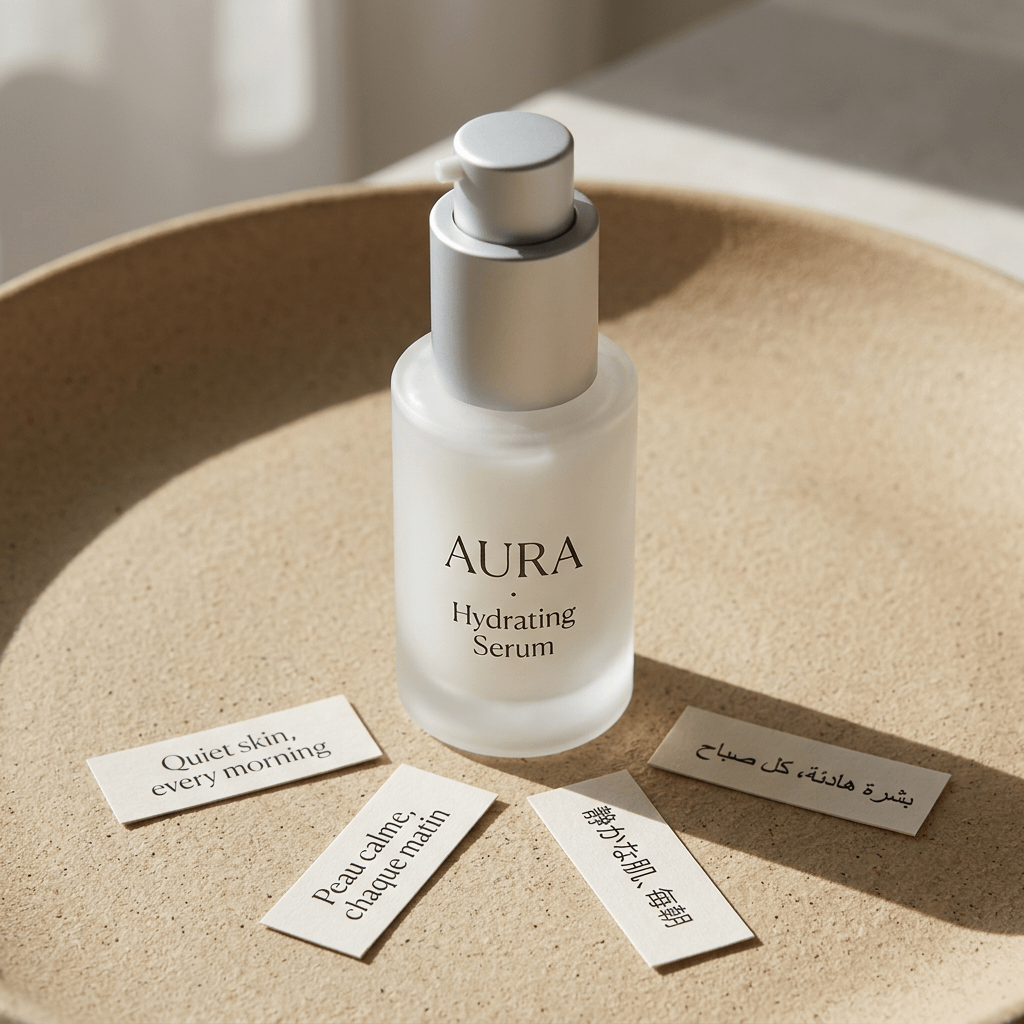
Exemplo de foto de produto lifestyle em estúdio. Ele combina com o prompt acima: a identidade do produto fica central, enquanto superfície, luz, props e mood moldam a imagem ecommerce.
5. Flatlay de cima
Create a top-down ecommerce flatlay for the uploaded product.
Preserve the exact product identity, packaging, label text, color, and proportions.
Place the product on a [surface: marble slab, linen fabric, wood tabletop, matte pedestal] with 3 to 5 supporting props that fit the brand story.
Use balanced natural light, crisp shadows, and a clean uncluttered layout.
Keep the product as the largest and clearest object in the composition.
Do not add random props, fake labels, hands, watermarks, or unreadable decorative text.
6. Macro de textura
Create a macro product detail image focused on the [texture, stitching, fabric grain, metal finish, cream texture, label embossing] of the uploaded product.
Preserve the real material, color, and product detail from the reference.
Use realistic close-up product photography with sharp focus, controlled highlights, and shallow depth of field.
The image should help shoppers understand quality and tactile feel.
Do not invent new patterns, change the material, add text overlays, or make the surface look artificial.
7. Referência de escala na mão
Create an ecommerce scale-reference photo showing the uploaded product held naturally in one hand.
Preserve the exact product shape, color, label, material, and proportions.
Use a clean neutral background, realistic hand proportions, and soft studio lighting.
Keep the product sharp and fully visible, with the hand only supporting scale.
Do not distort the product, cover important label details, add jewelry distractions, add extra products, or change the product size unrealistically.
8. Criativo para paid social
Create a premium paid social ad image for the uploaded product.
Preserve the product identity, shape, logo, label placement, and material finish.
Use a bold but realistic campaign composition with layered background shapes, strong directional lighting, and enough empty space for a short headline.
Place the product as the central hero and make it readable at mobile feed size.
Add the headline text exactly: "[SHORT HEADLINE]".
Use clean modern typography.
Do not invent product claims, add fake certifications, distort the logo, add cluttered badges, or make the text unreadable.
9. Variante sazonal
Create a seasonal ecommerce campaign image for the uploaded product.
Preserve the product shape, label, color, logo placement, and material finish exactly.
Place the product in a [seasonal setting] with tasteful props, realistic lighting, and a clean commercial composition.
The seasonal elements should support the product, not cover it.
Keep enough negative space for campaign copy.
Do not add fake limited-edition claims, change the packaging, add extra products, or make the scene look like a fantasy render.
10. Dieline ou mockup de embalagem
Create a clean ecommerce packaging dieline or flat-net review image for [product category].
Flatten the 3D packaging into a 2D net.
Expand all panels and tabs with orthographic projection and no distortion.
Map textures and label artwork precisely.
Add contrasting die-lines on a pure white background.
Keep the output clean enough for packaging review, not just a decorative render.
Do not add unreadable micro text, fake certifications, random claims, warped logos, or extra design elements not requested.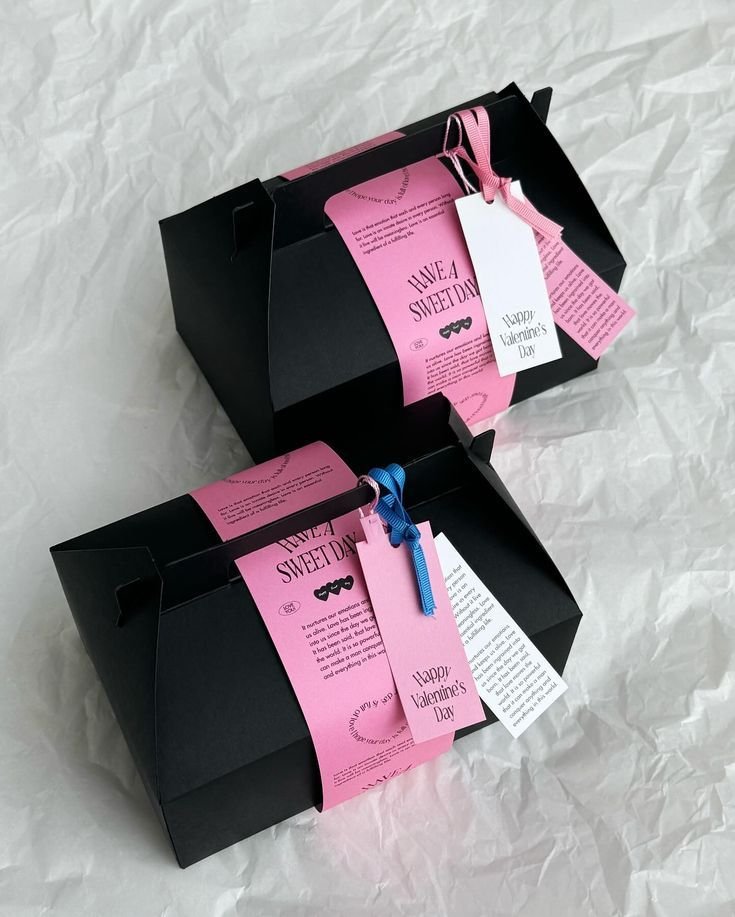
Exemplo de dieline de embalagem. Prompts de packaging devem separar layout revisável de render decorativo.
11. Linha de kit ou variantes
Create a clean ecommerce lineup image showing [number] product variants from the uploaded references.
Preserve the exact identity, label, color, proportions, and packaging details of each item.
Arrange the products in a balanced row on a neutral studio surface with consistent lighting and natural shadows.
Make size differences and variant differences easy to understand.
Do not invent additional variants, swap labels, change product scale inaccurately, add props, or add promotional badges.
12. Correção de imagem gerada
Edit the generated ecommerce image while preserving the overall composition, lighting, crop, and mood.
Fix only these issues: [list exact issues, such as distorted logo, label too soft, product leaning, extra prop, incorrect color, unreadable headline].
Keep the product shape, label placement, color, material, and proportions accurate to the uploaded product reference.
Do not change the background, camera angle, product position, or styling unless required to fix the listed issues.
Ajustes rápidos por categoria
Para beleza, proteja rótulo, tampa, transparência e textura. Para alimentos e bebidas, preserve embalagem e logo, sem claims nutricionais inventados. Para moda, detalhe corte, tecido, costura e cor. Para joias, especifique metal, pedra, reflexos e escala. Para eletrônicos, proteja portas, tela, botões e geometria.
No GPTIMG2 AI, gere algumas opções, escolha a melhor composição e depois corrija um problema por vez: logo, rótulo, cor, escala ou texto.
Falhas comuns e correções rápidas
| Falha | Correção para adicionar |
|---|---|
| Logo ou rótulo mudam | Preserve the uploaded label exactly. Do not rewrite, simplify, translate, or invent any text. |
| Produto parece artificial | Use realistic product photography with physical shadows, natural reflections, and material-specific highlights. |
| Props demais | Limit props to two small supporting objects. Keep the product as the only hero subject. |
| Imagem principal vira anúncio | No headline, no badges, no sale graphics, no lifestyle background. Product-only marketplace image. |
| Escala errada | Use realistic scale compared with a hand / table / standard room object. Do not enlarge the product unrealistically. |
| Texto ilegível | Use fewer words, larger typography, high contrast, and keep text away from product edges. |
Faça correções em passos pequenos. Se a composição está boa mas o rótulo falhou, corrija o rótulo. Só regenere o conceito inteiro quando a composição também estiver errada.
Fluxo GPTIMG2
No GPTIMG2 AI:
- Envie a referência de produto mais limpa.
- Escolha um tipo de ativo deste guia.
- Copie o prompt correspondente e substitua os detalhes entre colchetes.
- Gere 2 a 4 versões.
- Escolha a melhor composição e rode uma correção para rótulo, forma ou texto.
- Salve o prompt que funcionou para o próximo SKU.
Para mais pontos de partida, abra a biblioteca de prompts do GPT Image 2 e adapte exemplos por canal.
FAQ
O que um prompt de foto de produto deve incluir?
Ele deve incluir tipo de imagem, fatos do produto, canal, cena, luz, composição e regras negativas. Uma imagem de marketplace protege a precisão do produto; uma cena lifestyle define ambiente e props; um anúncio reserva espaço para uma frase curta.
Preciso enviar uma foto do produto?
Sim, quando o SKU real precisa continuar reconhecível. A foto ajuda a preservar forma, rótulo, material, proporções e detalhes de marca. Texto puro é melhor para produto fictício, conceito de embalagem e moodboard.
Posso usar estes modelos como gerador gratuito de prompts?
Sim. Troque fatos do produto, cena, canal, corte e regras negativas. O ganho vem de deixar as restrições do produto mais específicas, não de trocar adjetivos.
Por que a imagem falha mesmo com prompt detalhado?
Normalmente porque o prompt mistura objetivos: imagem de marketplace, lifestyle, anúncio e redesign de embalagem. Separe os ativos e corrija um problema por vez.