이커머스 제품 사진 프롬프트: GPT Image 2 템플릿 12개
이커머스 제품 사진 프롬프트를 복사해 사용하세요. 메인 이미지, 라이프스타일, 광고, 패키징, 수정용까지 GPT Image 2에 맞췄습니다.
좋은 이커머스 제품 사진 프롬프트는 “프리미엄”이나 “사실적”이라는 말만으로 끝나지 않습니다. 제품, 채널, 장면, 조명, 카메라 느낌, 브랜드 제약, 그리고 절대 바뀌면 안 되는 요소를 함께 지정해야 합니다. 실제 SKU 정확도가 중요하다면 먼저 제품 레퍼런스 이미지를 업로드한 뒤 GPT Image 2에 명확한 에셋 유형을 요청하세요. 예를 들어 마켓플레이스 메인 이미지, PDP 갤러리, 라이프스타일 이미지, 광고, 패키징, 수정 패스입니다.
아래 템플릿은 GPTIMG2 AI에서 바로 사용할 수 있습니다. 더 많은 예시는 GPT Image 2 prompt library를 참고하세요.
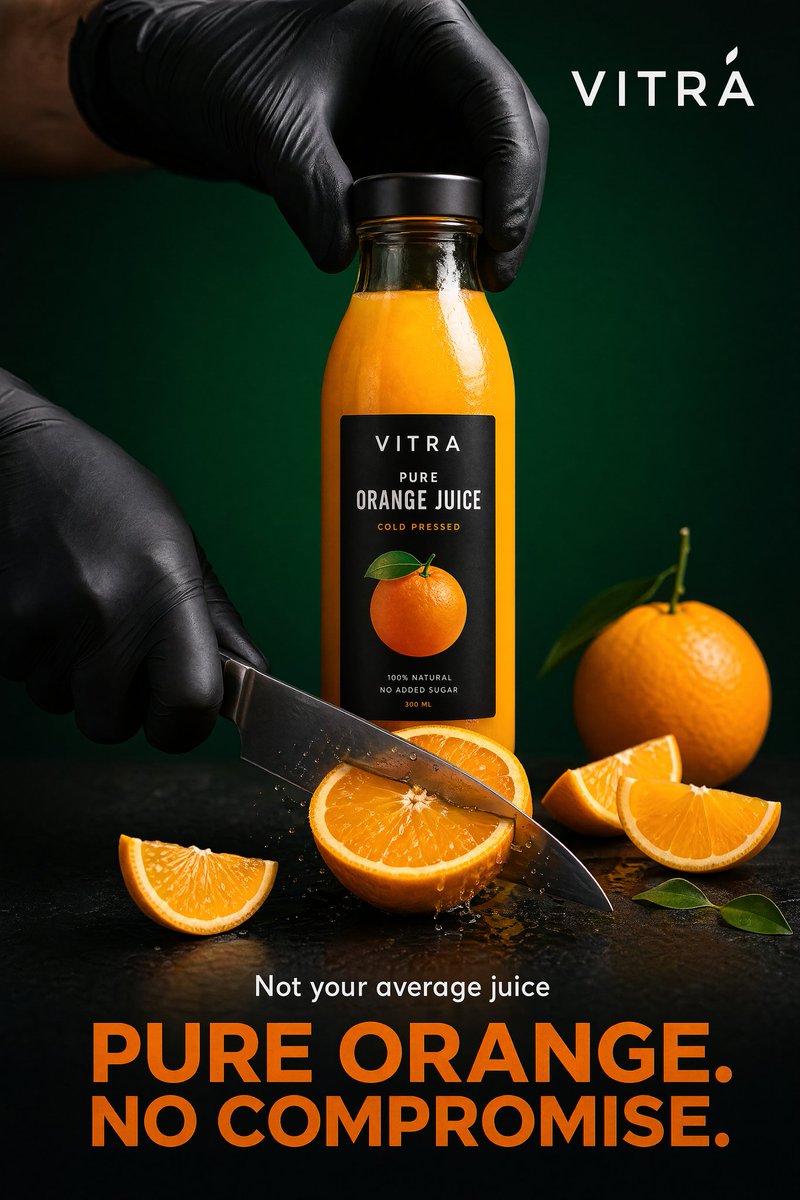
Prompt library의 제품 광고 예시입니다. Paid social이나 캠페인 섹션에는 좋지만, 엄격한 marketplace main image에는 맞지 않습니다.
프롬프트 공식
| 요소 | 적을 내용 | 이유 |
|---|---|---|
| 제품 사실 | 형태, 라벨, 소재, 색상, 패키징, 레퍼런스 역할 | 보기 좋지만 부정확한 결과를 막음 |
| 채널 | marketplace, Shopify PDP, social ads, landing page, email | 크롭과 규칙이 달라짐 |
| 장면 | 흰 스튜디오, 대리석, 주방, 욕실, 야외 | 구체적인 시각 작업을 줌 |
| 조명 | softbox, window light, golden hour, macro flash | 현실감과 가독성을 제어 |
| 카메라 | front packshot, flatlay, 85mm hero, 100mm macro | 모호한 스타일 지시를 줄임 |
| 브랜드 | minimal, playful, clinical, luxury, sustainable | 브랜드 톤 유지 |
| 금지 규칙 | distorted logo 없음, fake claims 없음, extra products 없음 | 카탈로그 정확도 보호 |
기본 구조:
Create a [channel and asset type] for the uploaded [product].
Preserve the exact [shape, label, color, material, proportions, logo placement].
Place it in/on [scene or surface] with [lighting] and [camera/composition].
The mood should feel [brand direction], suitable for [store, ad, PDP, marketplace].
Do not add [props, extra products, fake claims, distorted text, watermarks, hands, clutter].
복사해서 쓰는 12개 프롬프트
1. 마켓플레이스 메인 이미지
Create a marketplace-ready main product image from the uploaded product reference.
Preserve the exact product shape, proportions, color, material, label text, logo placement, and packaging details.
Place the product centered on a pure white background with realistic soft studio lighting and a subtle natural contact shadow.
Show the entire product clearly, front-facing, with no cropping and no perspective distortion.
Do not add props, people, hands, badges, sale text, rating graphics, watermarks, extra accessories, or additional products.
2. 부드러운 회색 스튜디오 hero
Create a premium ecommerce studio hero image for the uploaded product.
Preserve the exact product identity, label placement, color, material finish, and proportions.
Place the product on a soft light-gray seamless background with gentle gradient depth, realistic softbox lighting, and a refined shadow.
Use a front three-quarter angle that shows the product shape clearly.
Keep the composition minimal, polished, and suitable for a modern Shopify product page.
Do not change the logo, invent claims, add props, add extra text, or make the product look like a 3D render.
3. PDP 갤러리 각도 이미지
Create a product detail page gallery image from the uploaded product reference.
Show the product from a useful alternate angle that reveals the side profile, opening, texture, or functional detail.
Preserve the exact shape, dimensions, material, label placement, and color.
Use a clean neutral studio surface, realistic lighting, and a natural shadow.
Keep the product large and clear, with no decorative clutter.
Do not add inaccurate parts, extra accessories, unreadable label changes, or lifestyle props.
4. 라이프스타일 이미지
Create a realistic lifestyle ecommerce photo for the uploaded product.
Preserve the product shape, color, logo, packaging details, and material finish.
Place it in a believable [room or use environment] with soft natural light and a small set of supporting props that match the product category.
The product must remain the hero subject, sharp and clearly visible.
Leave clean negative space on the [left/right/top] for website copy.
Use a premium product photography style, not illustration, fantasy art, or CGI.
Do not distort the label, add extra products, invent claims, or make the scene cluttered.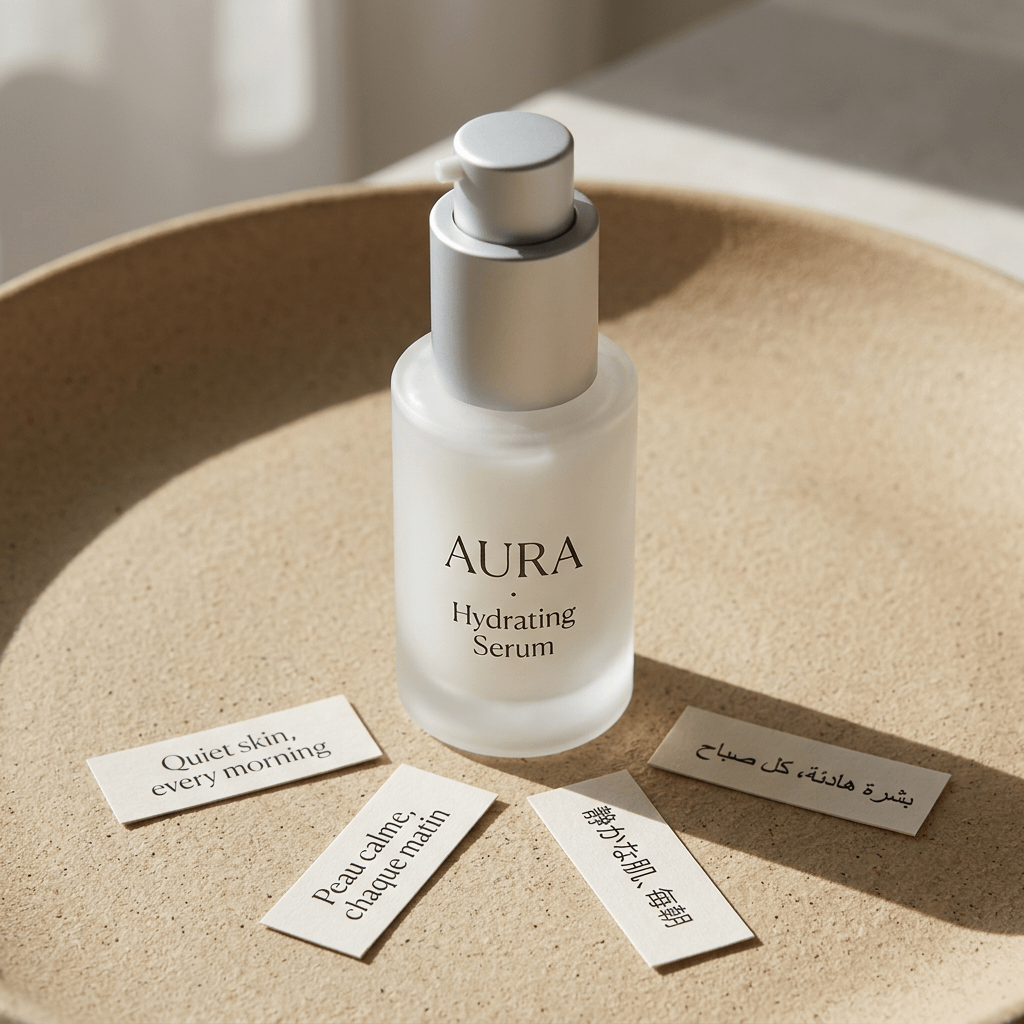
Studio lifestyle product shot 예시입니다. 위 prompt와 맞게 제품 identity를 중심에 두고 surface, lighting, props, mood로 이커머스 이미지를 구성합니다.
5. 탑다운 flatlay
Create a top-down ecommerce flatlay for the uploaded product.
Preserve the exact product identity, packaging, label text, color, and proportions.
Place the product on a [surface: marble slab, linen fabric, wood tabletop, matte pedestal] with 3 to 5 supporting props that fit the brand story.
Use balanced natural light, crisp shadows, and a clean uncluttered layout.
Keep the product as the largest and clearest object in the composition.
Do not add random props, fake labels, hands, watermarks, or unreadable decorative text.
6. 소재 매크로 디테일
Create a macro product detail image focused on the [texture, stitching, fabric grain, metal finish, cream texture, label embossing] of the uploaded product.
Preserve the real material, color, and product detail from the reference.
Use realistic close-up product photography with sharp focus, controlled highlights, and shallow depth of field.
The image should help shoppers understand quality and tactile feel.
Do not invent new patterns, change the material, add text overlays, or make the surface look artificial.
7. 손에 든 크기 비교
Create an ecommerce scale-reference photo showing the uploaded product held naturally in one hand.
Preserve the exact product shape, color, label, material, and proportions.
Use a clean neutral background, realistic hand proportions, and soft studio lighting.
Keep the product sharp and fully visible, with the hand only supporting scale.
Do not distort the product, cover important label details, add jewelry distractions, add extra products, or change the product size unrealistically.
8. 유료 소셜 광고
Create a premium paid social ad image for the uploaded product.
Preserve the product identity, shape, logo, label placement, and material finish.
Use a bold but realistic campaign composition with layered background shapes, strong directional lighting, and enough empty space for a short headline.
Place the product as the central hero and make it readable at mobile feed size.
Add the headline text exactly: "[SHORT HEADLINE]".
Use clean modern typography.
Do not invent product claims, add fake certifications, distort the logo, add cluttered badges, or make the text unreadable.
9. 시즌 캠페인 변형
Create a seasonal ecommerce campaign image for the uploaded product.
Preserve the product shape, label, color, logo placement, and material finish exactly.
Place the product in a [seasonal setting] with tasteful props, realistic lighting, and a clean commercial composition.
The seasonal elements should support the product, not cover it.
Keep enough negative space for campaign copy.
Do not add fake limited-edition claims, change the packaging, add extra products, or make the scene look like a fantasy render.
10. Packaging dieline 또는 mockup
Create a clean ecommerce packaging dieline or flat-net review image for [product category].
Flatten the 3D packaging into a 2D net.
Expand all panels and tabs with orthographic projection and no distortion.
Map textures and label artwork precisely.
Add contrasting die-lines on a pure white background.
Keep the output clean enough for packaging review, not just a decorative render.
Do not add unreadable micro text, fake certifications, random claims, warped logos, or extra design elements not requested.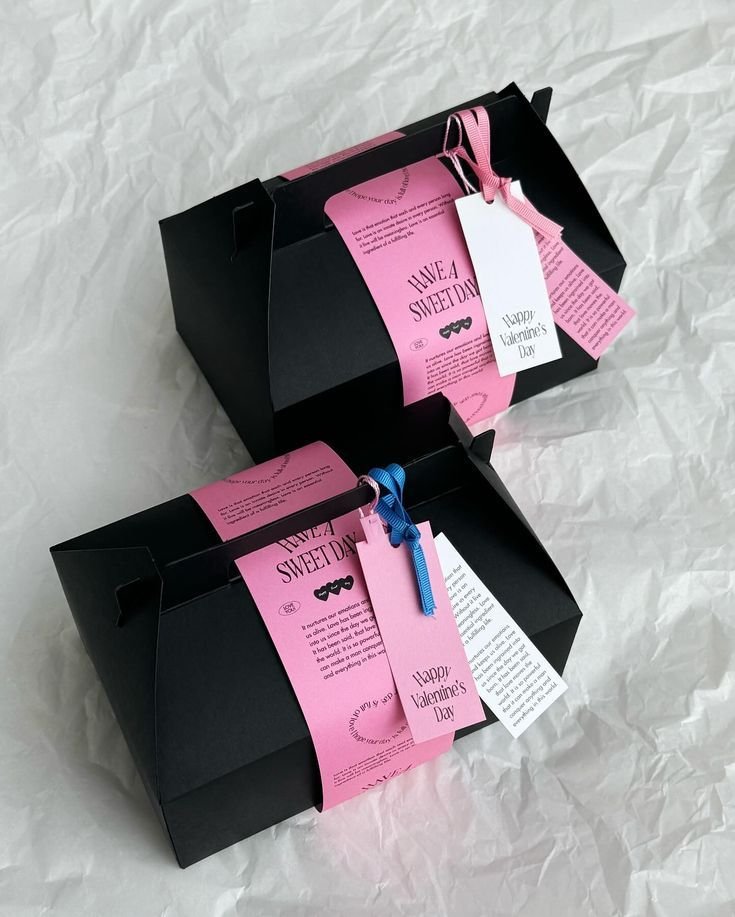
Packaging dieline 예시입니다. 패키징 prompt는 검토 가능한 구조와 장식적인 product render를 분리해야 합니다.
11. 번들 또는 변형 lineup
Create a clean ecommerce lineup image showing [number] product variants from the uploaded references.
Preserve the exact identity, label, color, proportions, and packaging details of each item.
Arrange the products in a balanced row on a neutral studio surface with consistent lighting and natural shadows.
Make size differences and variant differences easy to understand.
Do not invent additional variants, swap labels, change product scale inaccurately, add props, or add promotional badges.
12. 생성 이미지 수정
Edit the generated ecommerce image while preserving the overall composition, lighting, crop, and mood.
Fix only these issues: [list exact issues, such as distorted logo, label too soft, product leaning, extra prop, incorrect color, unreadable headline].
Keep the product shape, label placement, color, material, and proportions accurate to the uploaded product reference.
Do not change the background, camera angle, product position, or styling unless required to fix the listed issues.
제품 유형별 조정
뷰티 제품은 라벨, 캡 모양, 투명도, 크림 질감을 지키세요. 식품과 음료는 패키지 크기와 logo를 보존하고 허위 영양 claim을 피하세요. 패션은 핏, 원단, 봉제, 색 정확도가 중요합니다. 주얼리는 금속 색상, 보석, 반사, 실제 스케일을 지정하세요. 전자제품은 포트, 화면, 버튼, 제품 기하 구조를 보호해야 합니다.
GPTIMG2 AI에서는 여러 버전을 만든 뒤 가장 좋은 구도를 고르고, logo, 라벨, 색상, 스케일, 텍스트 같은 문제를 한 번에 하나씩 수정하는 방식이 가장 안정적입니다.
자주 생기는 실패와 빠른 수정
| 실패 | 추가할 수정 문장 |
|---|---|
| logo나 라벨이 바뀜 | Preserve the uploaded label exactly. Do not rewrite, simplify, translate, or invent any text. |
| 제품이 인공적으로 보임 | Use realistic product photography with physical shadows, natural reflections, and material-specific highlights. |
| 소품이 너무 많음 | Limit props to two small supporting objects. Keep the product as the only hero subject. |
| 메인 이미지가 광고처럼 됨 | No headline, no badges, no sale graphics, no lifestyle background. Product-only marketplace image. |
| 스케일이 이상함 | Use realistic scale compared with a hand / table / standard room object. Do not enlarge the product unrealistically. |
| 텍스트가 읽히지 않음 | Use fewer words, larger typography, high contrast, and keep text away from product edges. |
수정은 작은 단위로 진행하세요. 구도는 좋은데 라벨만 잘못됐다면 라벨만 고칩니다. 구도 자체가 틀렸을 때만 전체 콘셉트를 다시 생성하는 편이 낫습니다.
GPTIMG2 워크플로
GPTIMG2 AI에서는 다음 순서가 안정적입니다.
- 가장 깨끗한 제품 레퍼런스 이미지를 업로드합니다.
- 이 가이드에서 에셋 유형 하나를 고릅니다.
- 해당 prompt를 복사하고 대괄호 안 세부 정보를 바꿉니다.
- 2-4개 버전을 생성합니다.
- 가장 좋은 구도를 고른 뒤 라벨, 제품 형태, 텍스트를 수정합니다.
- 잘 작동한 prompt를 다음 SKU에 저장합니다.
더 많은 시작점이 필요하면 GPT Image 2 prompt library를 열고 채널별로 예시를 조정하세요.
FAQ
이커머스 제품 사진 prompt에는 무엇이 들어가야 하나요?
이미지 유형, 제품 사실, 채널, 장면, 조명, 구도, 금지 규칙이 들어가야 합니다. 마켓플레이스 메인 이미지는 제품 정확도를 지키고, lifestyle 이미지는 환경과 소품을 정의하며, 광고 이미지는 짧은 headline 공간을 확보해야 합니다.
제품 사진을 업로드해야 하나요?
실제 SKU를 유지해야 한다면 업로드하는 편이 좋습니다. 형태, 라벨, 소재, 비율, 브랜드 디테일을 보존하기 쉽습니다. 텍스트만 사용하는 방식은 가상 제품, 패키징 콘셉트, moodboard에 더 적합합니다.
이 템플릿을 무료 prompt generator처럼 쓸 수 있나요?
가능합니다. 제품 사실, 장면, 채널, 크롭, 금지 규칙을 바꾸면 됩니다. 핵심은 형용사를 바꾸는 것이 아니라 제품 제약을 구체적으로 쓰는 것입니다.
자세히 써도 제품 사진이 실패하는 이유는 무엇인가요?
목표가 섞였을 가능성이 큽니다. 마켓플레이스 이미지, lifestyle, 광고, 패키징 redesign을 한 prompt에 넣으면 지시가 충돌합니다. 에셋을 나누고 한 번에 한 문제만 수정하세요.